Scout AI Assistant
Flexmls offers an in-system AI assistant called Scout, and it is currently available for MLSs that are participating in beta testing. You can use Scout to ask questions and get answers based on live MLS data. Scout can offer information on your listings, market stats, contact history and activity, MLS rules, and more. Additionally, Scout has access to Flexmls help articles, so you can ask questions and get answers on various functions and features in Flexmls.
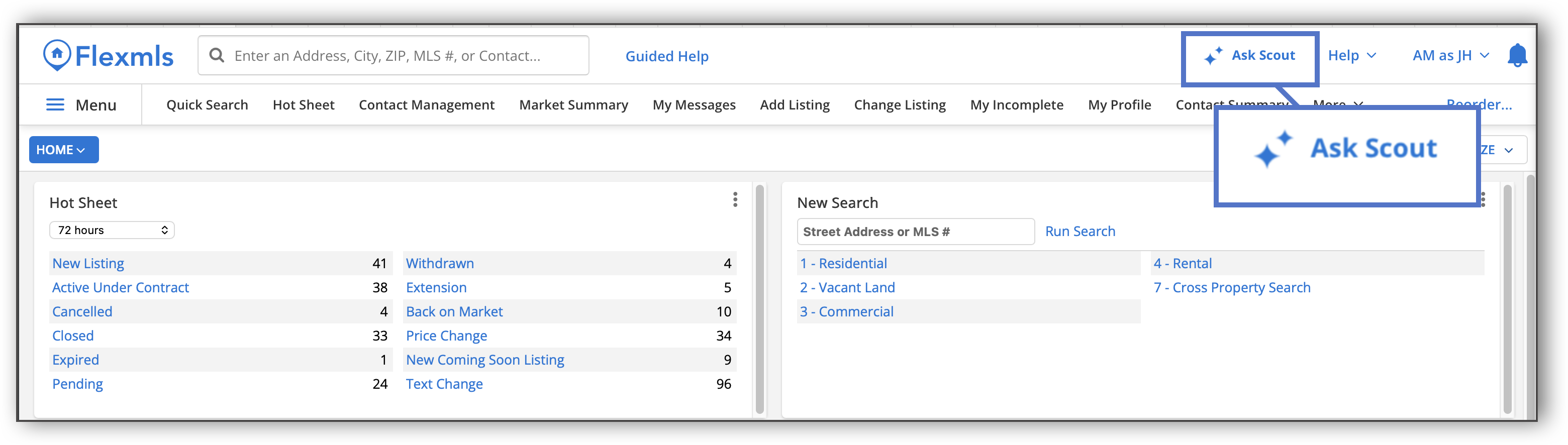
To use Scout, click the icon at the top right corner of the screen in Flexmls.
A panel opens on the right side of the screen. Type your question in the text box and hit Enter on your keyboard or click the Send button.
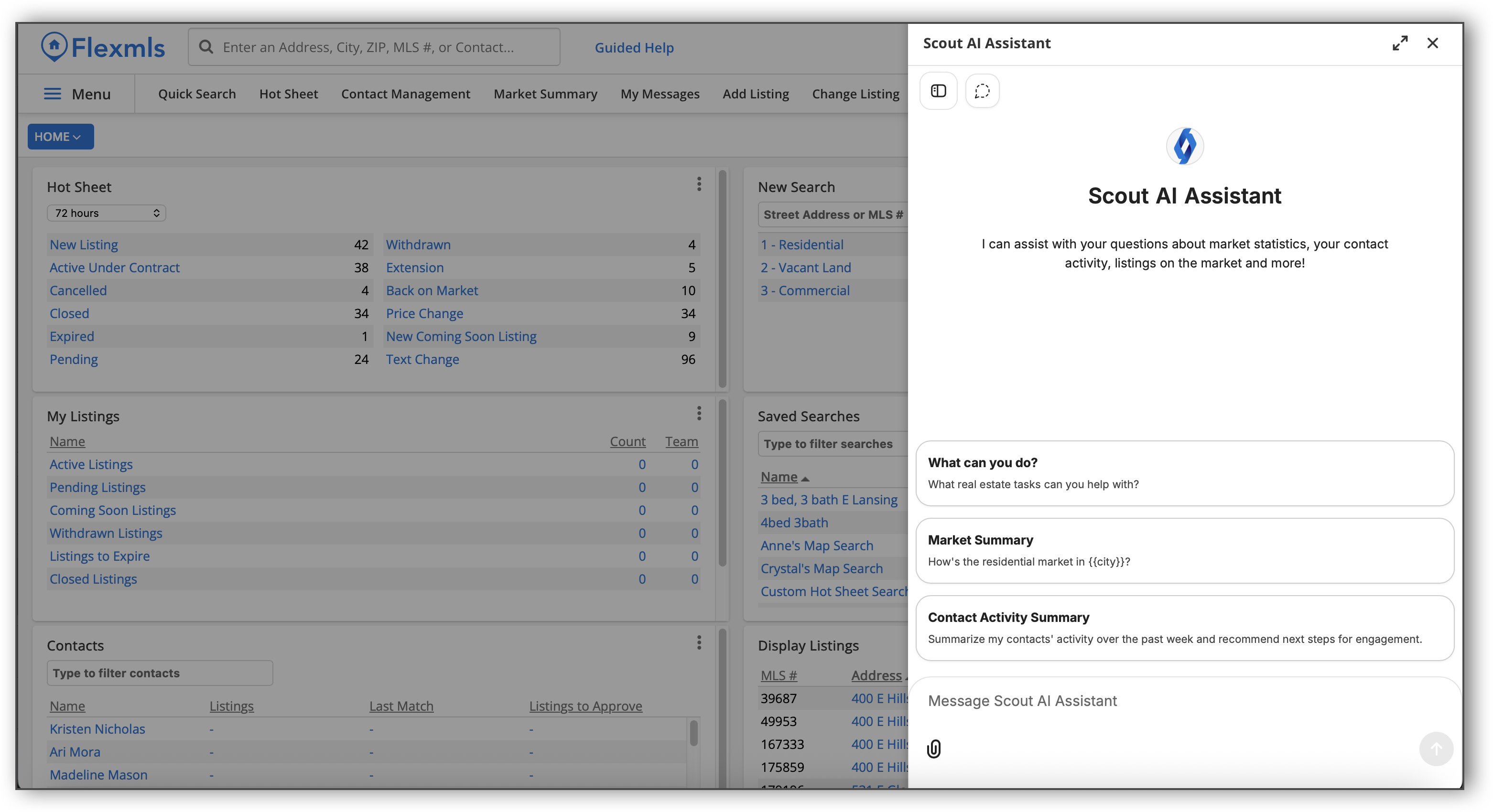
You can use the paper clip icon at the bottom left corner of the panel to upload attachments.
To expand the Scout panel to full screen, click the full screen  icon at the top right corner of the panel. To close Scout, click the X icon at the top right corner of the panel. You can still access your Scout chat history after closing Scout. To do so, click the Scout icon at the top right corner of the screen. The panel will display your Scout chat history.
Some sample questions you can ask Scout include:
What are my total closed sales this year?
Show me listings my contact Sarah viewed in the last 30 days.
What are the average days on market for single family homes in my area this month?
How do I run a CMA in Flexmls?
What are my MLS’s rules around photos?
For a list of frequently asked questions about Scout, refer to the Scout AI Assistant: FAQs help page.
Important
Features available during beta may change before or after general release. FBS makes no commitment that any specific feature will be included in the released product. The beta is offered at no charge to Phase 1 participants; this does not imply future pricing. Scout is pre-release software and may produce inaccurate results — users should not rely on Scout output for time-sensitive or legally significant decisions without independent verification.