Add MLS Intranet Documents to MCP Server
If your MLS uses the Flexmls intranet, you can make selected intranet documents AI-searchable for your agents and subscribers.
With this integration, you can choose specific forms, policies, and rule documents from your existing Flexmls intranet repository and opt them into AI processing. Once they’ve been selected and opted in, those documents are securely ingested, making their content searchable through the Flexmls MCP Server.
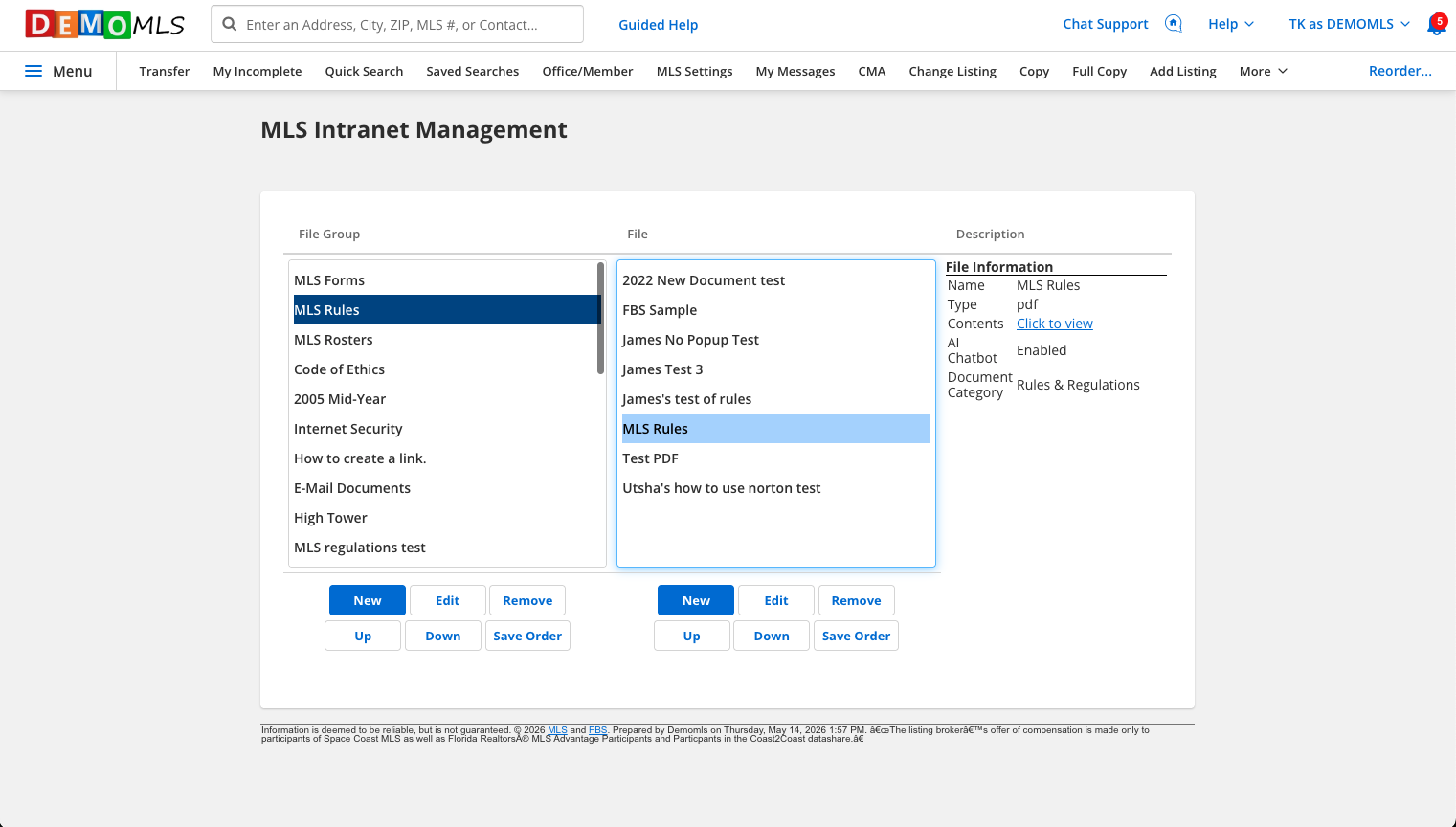
To select intranet documents for MCP access, navigate to the Flexmls mega menu. Under General, select MLS Intranet Management. Find the file you would like to make discoverable to the MCP server (for example, your MLS Rules), and click Edit. You can also follow these same steps if you are adding a new document.
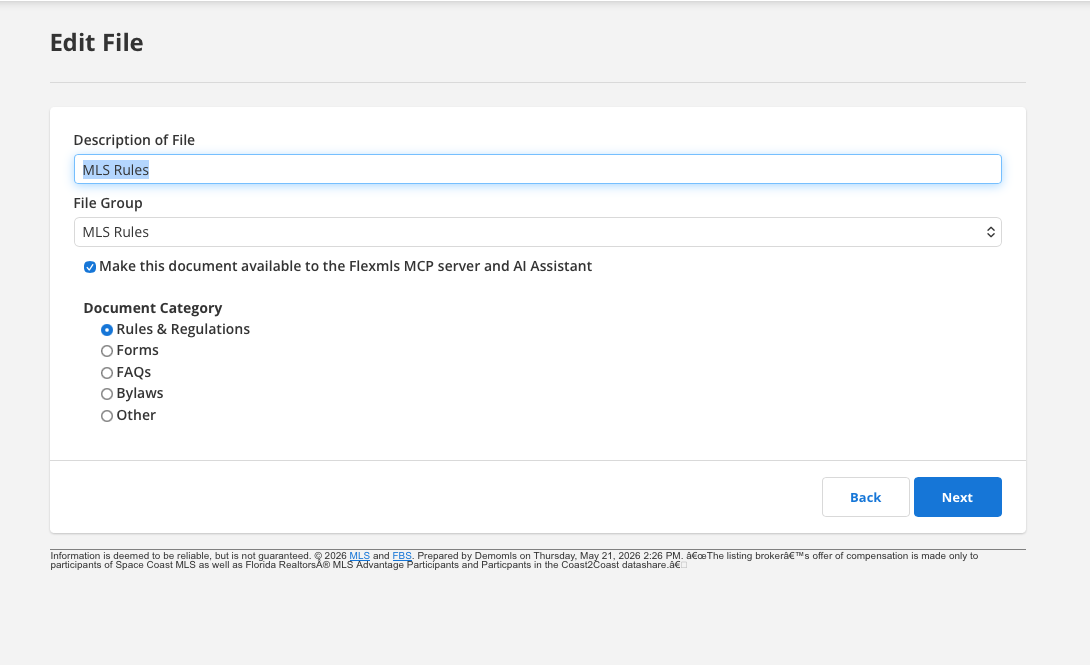
Once you’ve selected the appropriate document, check the box that says Make this document available to the Flexmls MCP server and AI Assistant. Be sure to select what kind of document it is under the Document Category section. When you select an accurate document category, this helps Flexmls from a processing perspective. Once you have made your selections, click Next. That file is now being processed in our AI pipeline, and that content will be made available to your subscribers when they ask their AI Assistant questions.