API Key Summary Report
For a comprehensive review of who has API access to your MLS’s data, MLS admins can export a spreadsheet listing all API keys that can access their MLS data.
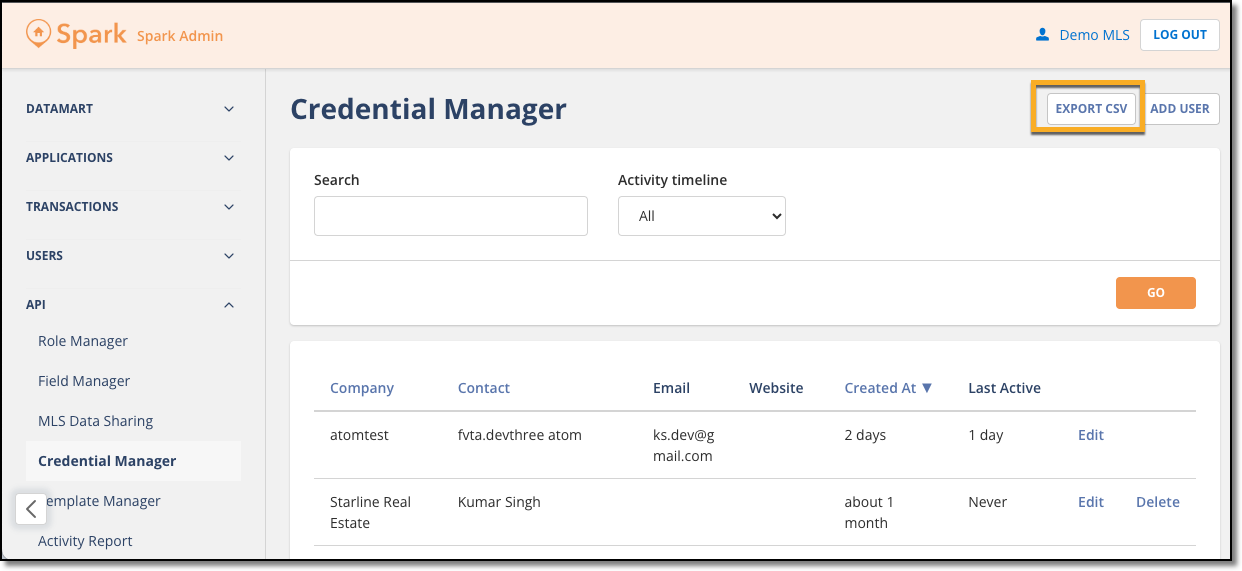
When logged into the Spark Platform, navigate to the Credential Manager, and click the Export CSV button near the top right corner.
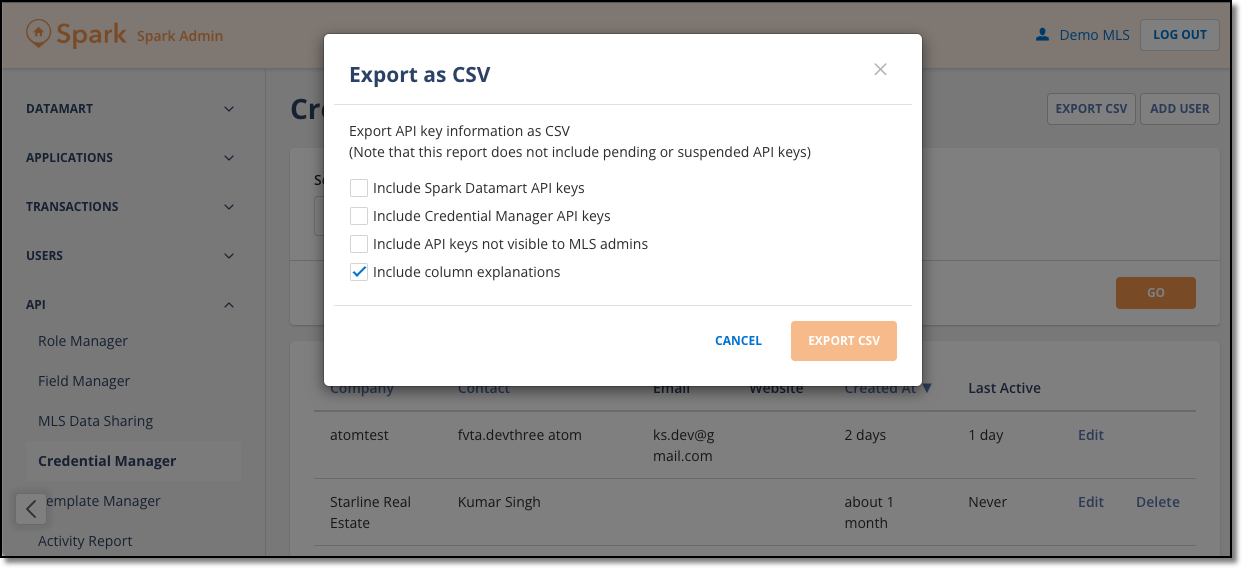
The pop-up window that appears contains options for which API keys to include in the report, as well as an option to see explanations of the data in each column. Select the options you want using the checkboxes on the left, and click Export CSV.
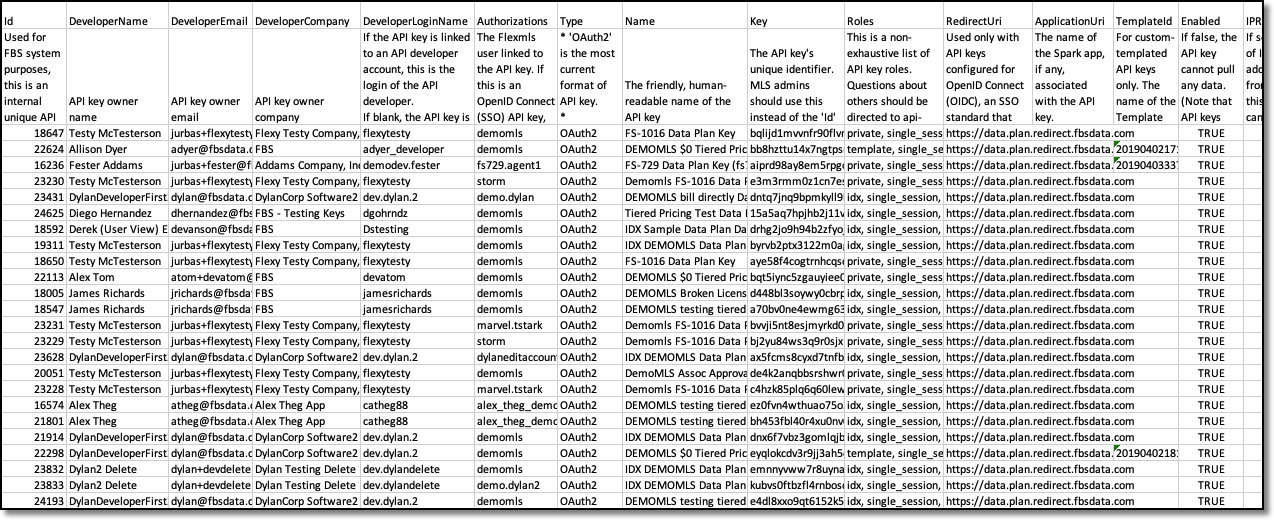
The API key data is presented as a CSV spreadsheet with one API key per row, and information about each API key is listed in the columns.
To continue helping you easily manage your data access, we plan to expand the report with even more data about each API key in the coming months. If you don’t see everything you’re hoping for, contact api-support@fbsdata.com with your requests for what else you’d like to see included in the report.