Delete Listing History Events
By default, only the MLS user can delete listing history events. Users with MLS-level brokerload or Association-level brokerload can be granted this ability through MLS settings.
Deleted history events are not completely removed from the system; they are just hidden from view for most members of the MLS. Users who have permission to delete history events can also view previously deleted events and restore them to the listing history, if necessary.
Delete a History Event
Use the Change Listing page to delete history events for a listing.
Under Add/Change on the menu, click Change Listing. Type the MLS number or click an MLS number in the list. Click the History link at the top of the page.
To delete an individual history event, select the checkbox for that event in the Delete column, then click the Delete button.
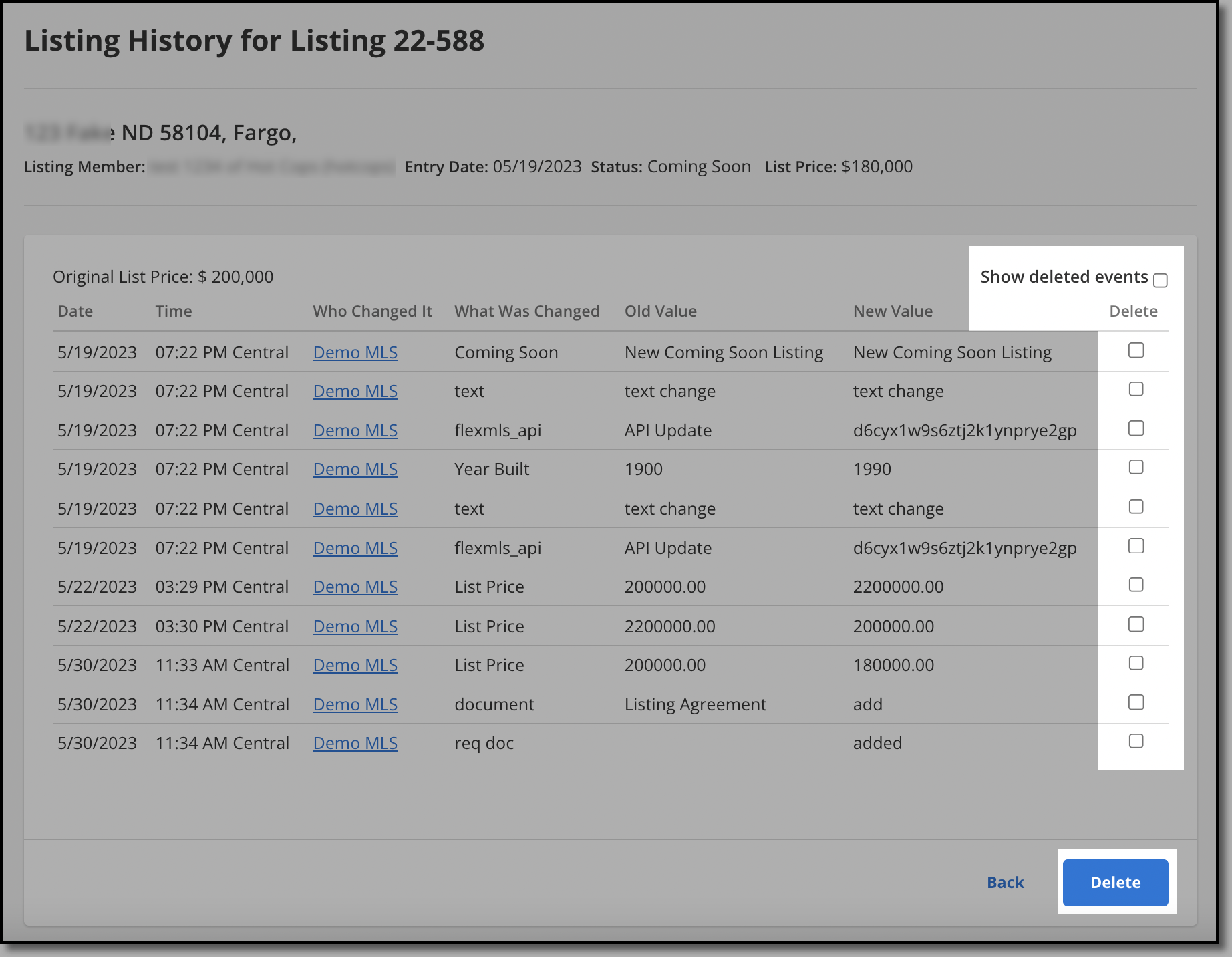
To confirm the deletion, click OK.
Note
If you are deleting a listing history event and want that change reflected in the hot sheet, delete the event that corresponds to the hot sheet change you want reflected. For example, to remove a new listing from the hot sheet, delete the "new" listing history event for that listing. To remove a price change event from the hot sheet, delete the "list price" event.
View or Restore Deleted History Events
The administrator can view all history events, including deleted ones. If a history event was deleted by mistake, you can restore it.
Under Add/Change on the menu, click Change Listing. Type the MLS number or click an MLS number in the list. Click the History link at the top of the page.
In the top right corner, click Show deleted events. When this option is selected, deleted history events appear with a blue plus sign in the Delete column.
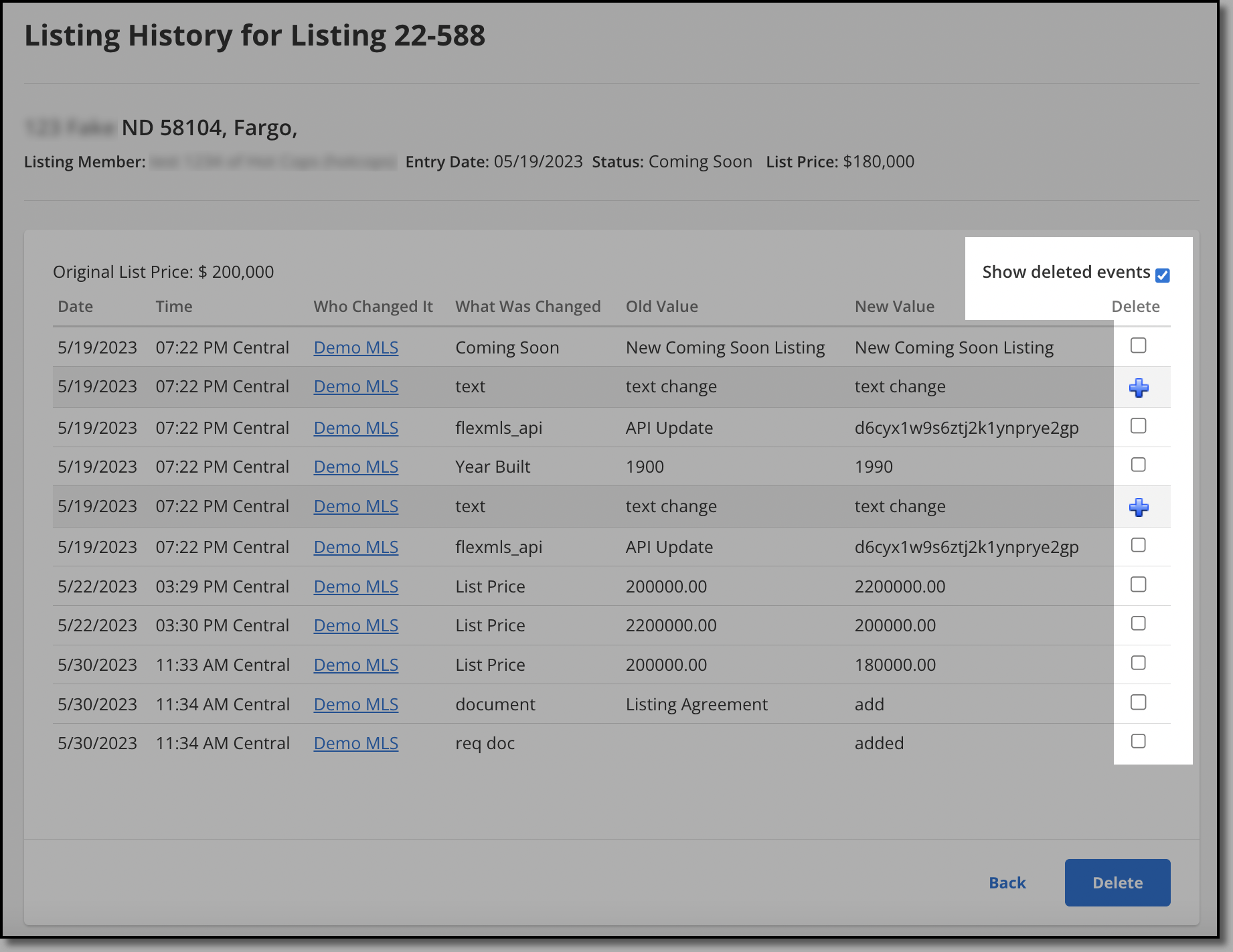
Click the plus sign for each event that you want to restore.
To confirm the change, click OK.
The following MLS settings are related to this feature. To view or change your MLS settings, go to the MLS Settings page under General on the Admin menu.
Users with Association broker load may delete listing history from listings within their Association - When set to On, a user with association-level broker load can delete listing history from listings within their association. Users will not be able to delete listing history from listings in other associations. This setting applies only to MLSs with multiple associations.
Users with MLS broker load may delete listing history from listings within the MLS - When set to On, a user with MLS-level broker load can delete listing history from any listing in the MLS.