List Users
Click List Users under Users on the Admin menu to view a list of users in the MLS.
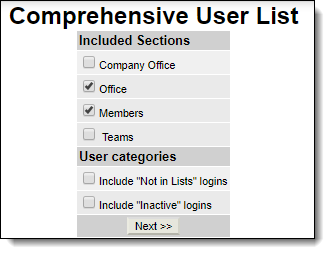
Select the sections and categories you want to view. To ensure that all users in the system are included, click Include "Not in Lists" logins and Include "Inactive" logins. Click Next to display the list.
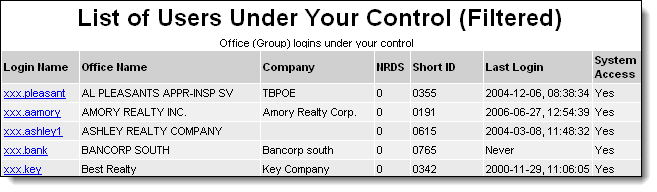
The information on this page includes the name of the member and office, NRDS and short ID codes, last date and time of login, and whether system access is enabled. Click on a login name to edit the settings for that user.
Tip
The following Guided Help tour is available for this function in Flexmls. When you click on a link, an instance of Flexmls will open in a new browser tab and instruction bubbles will guide you through the process.