Reports - RETS
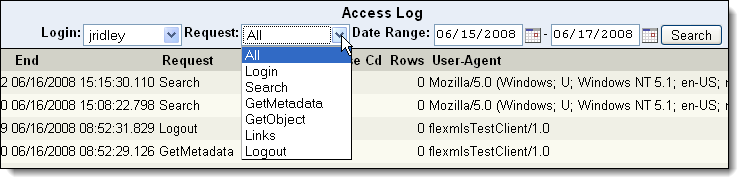
Click Reports - RETS under RETS on the Admin menu to run reports of RETS access. First, select the type of report that you want to run: Access Log or User Permissions. Then use the drop-down lists to select the parameters of the report. Click Search to run the selected report.