Superuser Report
The Superuser Report identifies users who have permission to log on as other users in Flexmls. To access the Superuser Report, click Reports - Users under Users on the Admin menu. Then select Superuser Report.
Tip
The following Guided Help tour is available for this function in Flexmls. When you click on a link, an instance of Flexmls will open in a new browser tab and instruction bubbles will guide you through the process.
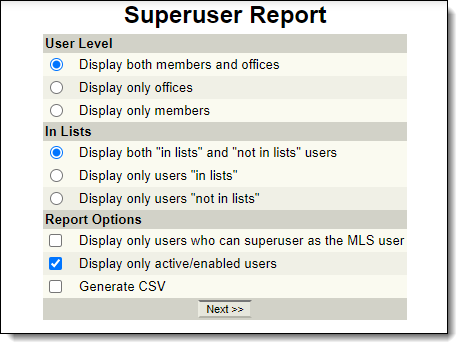
First, select from the following options:
User Level: Include only offices, only members, or both offices and members.
In Lists: Include only "in list" users, only "not in list" users, or both.
Display only users who can superuse as the MLS user: Mark this option to periodically verify that only the appropriate users have MLS-level access to Flexmls.
Display only active/enabled users: Mark this option to include only enabled users in the report.
Generate CSV: Export report information to a CSV (comma-separated values) file.
After you have made your selections, click Next to generate the report.