Broker Distribution
The Broker Distribution section of the listing input form displays listing distribution options as defined by your MLS. Select distribution options by checking the corresponding boxes.
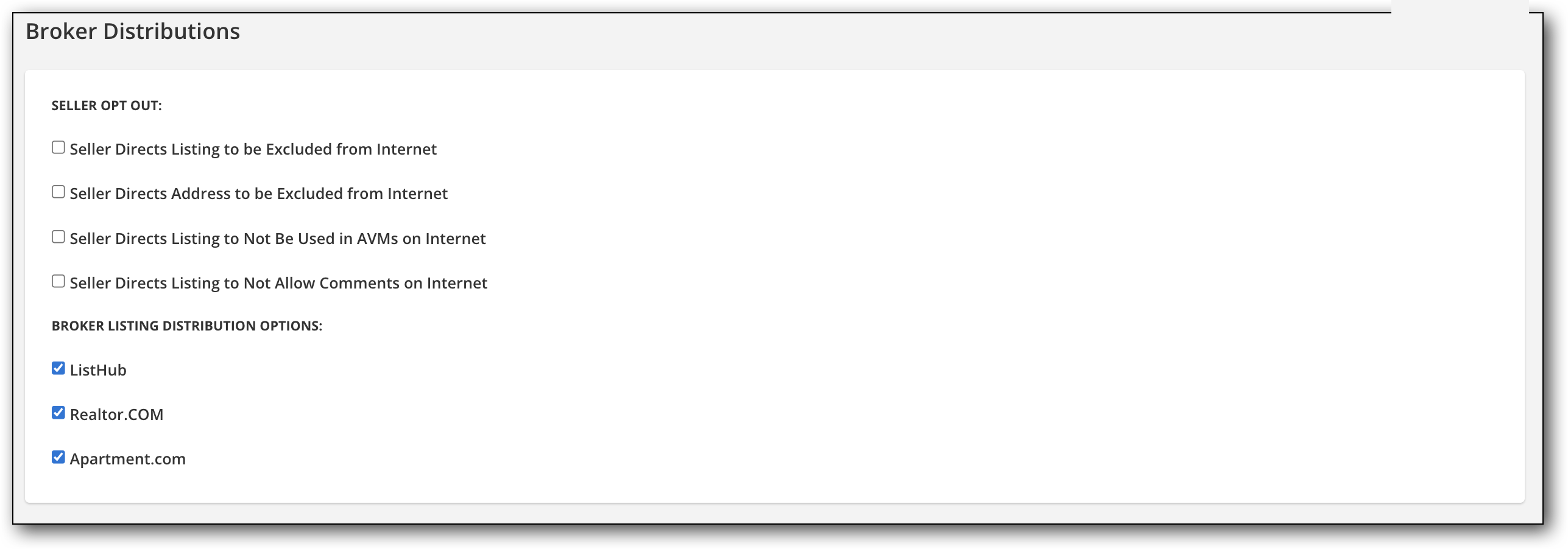
The first options are seller opt-out options, if available for your MLS. If the seller requests that the listing be withheld from publishing on the internet, select Seller Directs Listing to be Excluded from Internet. The seller can also request that the address of the listing not be published to the internet. These selections govern all internet sites, including Realtor.com and IDX sites. The system will soon prevent you from making contradictory choices in the other checkboxes on the page. Please check or uncheck boxes as needed.
The setting Seller Directs Listing to Not Be Used in AVMs on Internet refers to automated valuation models on virtual office websites (VOWs). The option Seller Directs Listing to Not Allow Comments on Internet also refers to VOWs only. For more information about VOWs, refer to the realtor.org website.
If available in your MLS, enter a URL in the Broker Listing Distribution Reference URL field. The URL entered here is included in RETS feeds and can be used as a link back to an agent’s direct website from syndication websites.