Listing Audit
Note
Listing Audit is only available on the New Listing Maintenance module.
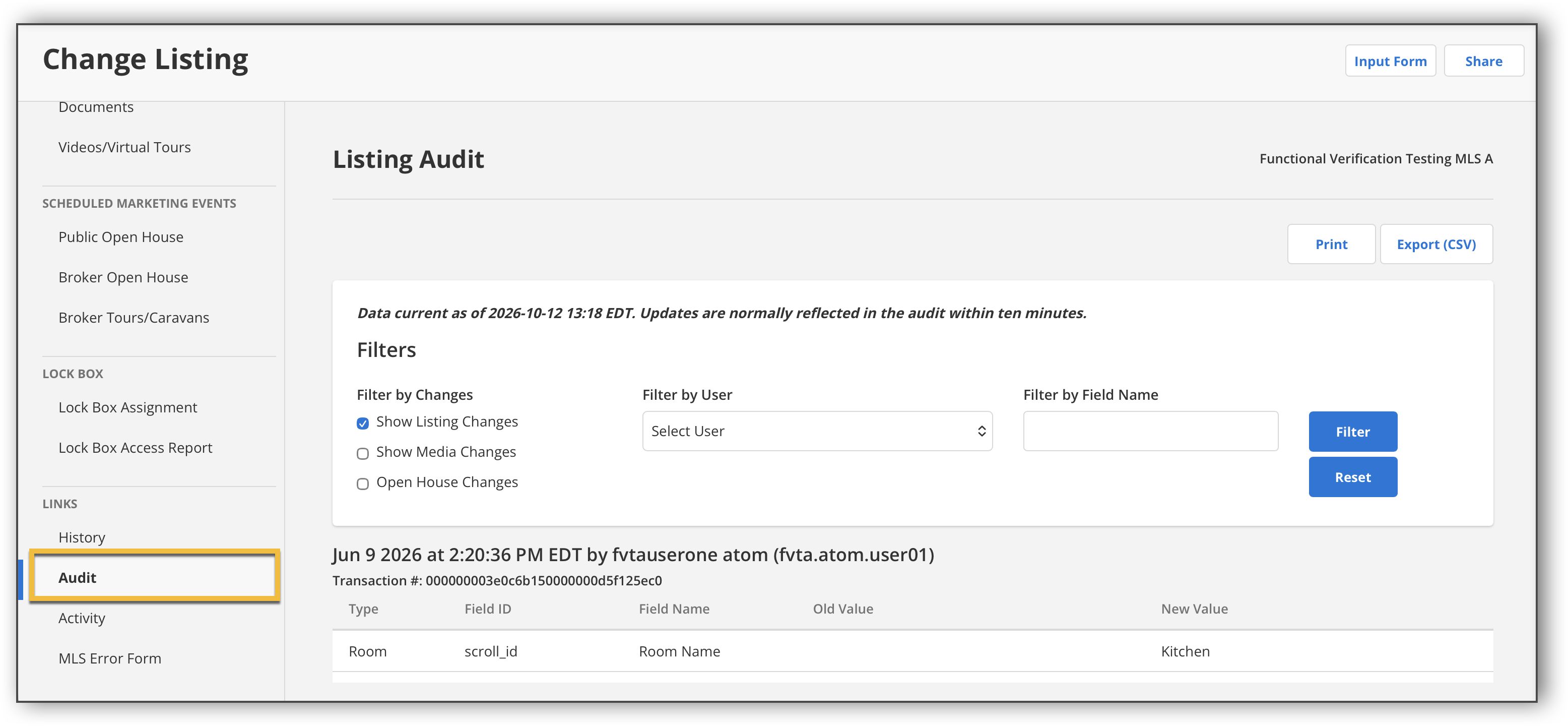
Listing Audit displays all listing activity, including updates to listing fields, media, and open house information from the time a listing was published to the MLS.
Any user with permission to edit the listing can view its audit history. Audit records begin on the date your MLS went live on the new Listings module. Changes made before that date will not be included. The listing audit information allows users to do the following:
Track listing changes: View original values at the time of publication and a detailed history of subsequent changes, including old and new values.
See who made changes: Identify the name and login ID of the person who made each update, including superuser information when applicable.
Find information: Search and filter the audit history to locate specific fields or changes.
Print or export records: Print the audit history or export it as a CSV file for additional review.
To view a detailed record of listing activity, click Audit under the Links section in the listing input form.
You can use the checkboxes to filter the data by listing changes, media changes, and/or open house changes. You can also use the dropdown menu to filter the data by a specific user. Or, you can enter a field name to filter the data by a specific field. Once you’ve made your selections, click Filter. Click Reset to reset your filter selections. You can click Print to print the listing audit, or click Export to export the listing audit as a CSV file.