Agents Changing Brokerages
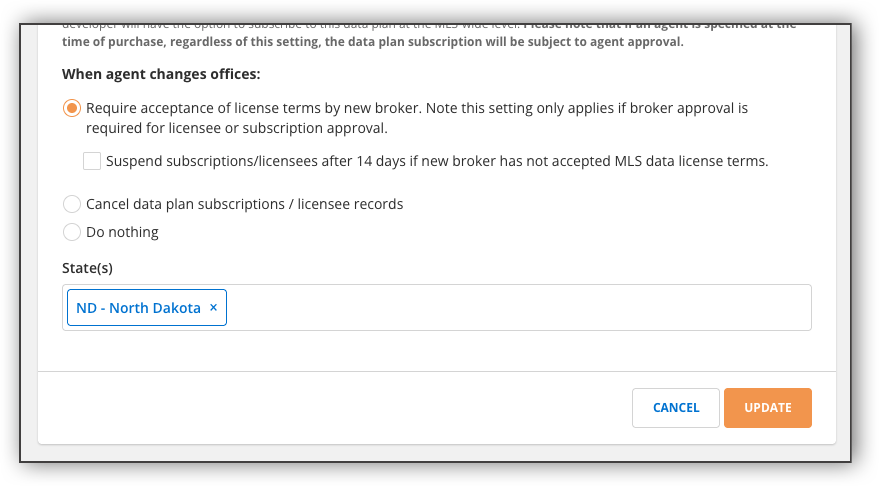
To ensure that brokerage-level approvals stay current, you can select from the following options when editing a data plan any time an agent switches brokerages.
Require acceptance of license terms by a new broker: This option automatically asks the broker of the new office to submit acceptance of your MLS data license agreement, so that the data plan subscription or licensee record reflects approval from the agent’s new broker. Their existing subscriptions and licensee records are preserved and updated in place when the new broker submits approval.
You can also go a step further and choose to suspend subscriptions/licensees after 14 days if the new broker hasn’t completed the request. Subscriptions suspended for this reason are automatically reinstated if the broker submits approval; otherwise, they’re canceled after 21 days.
Cancel data plan subscriptions / licensee records: This option cancels all of the agent’s data plan subscriptions and licensee records outright. The agent receives an email explaining that they should create a new data plan subscription and/or ask their vendor(s) to re-report them as a licensee. If these require brokerage approval, the new broker will be asked to accept your MLS data license terms.
Do nothing: This option takes no action when the agent changes offices.
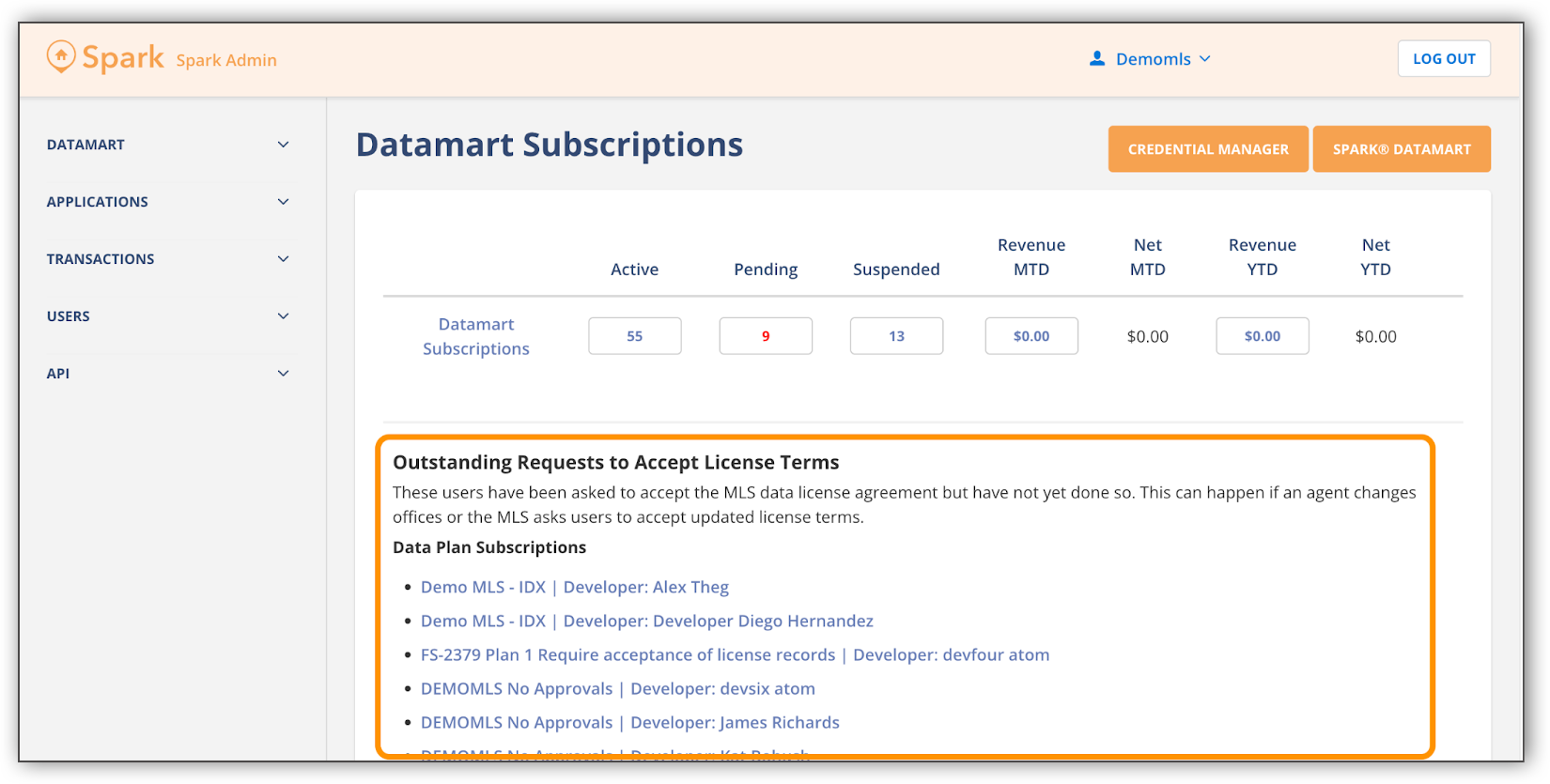
By default, all data plans now have the first option enabled (ask the new broker to accept the MLS data license terms). The option to auto-suspend subscriptions and licensees if the broker does not accept terms is not enabled by default, so you’ll need to turn it on if you want to use it. You can find a list of outstanding requests for brokers to accept terms on your Datamart dashboard, allowing you to follow up as you see fit.
If you have any questions or want assistance updating these preferences, reach out to the API Support team at api-support@fbsdata.com.