Broker Data Share
Click Broker Data Share under General on the Admin menu to set up data-sharing between members of your MLS. You can allow MLS participants to host all active listings from the MLS on their individually branded public websites. When a consumer visits such a website, they can find all available properties in the MLS without having to visit other websites.
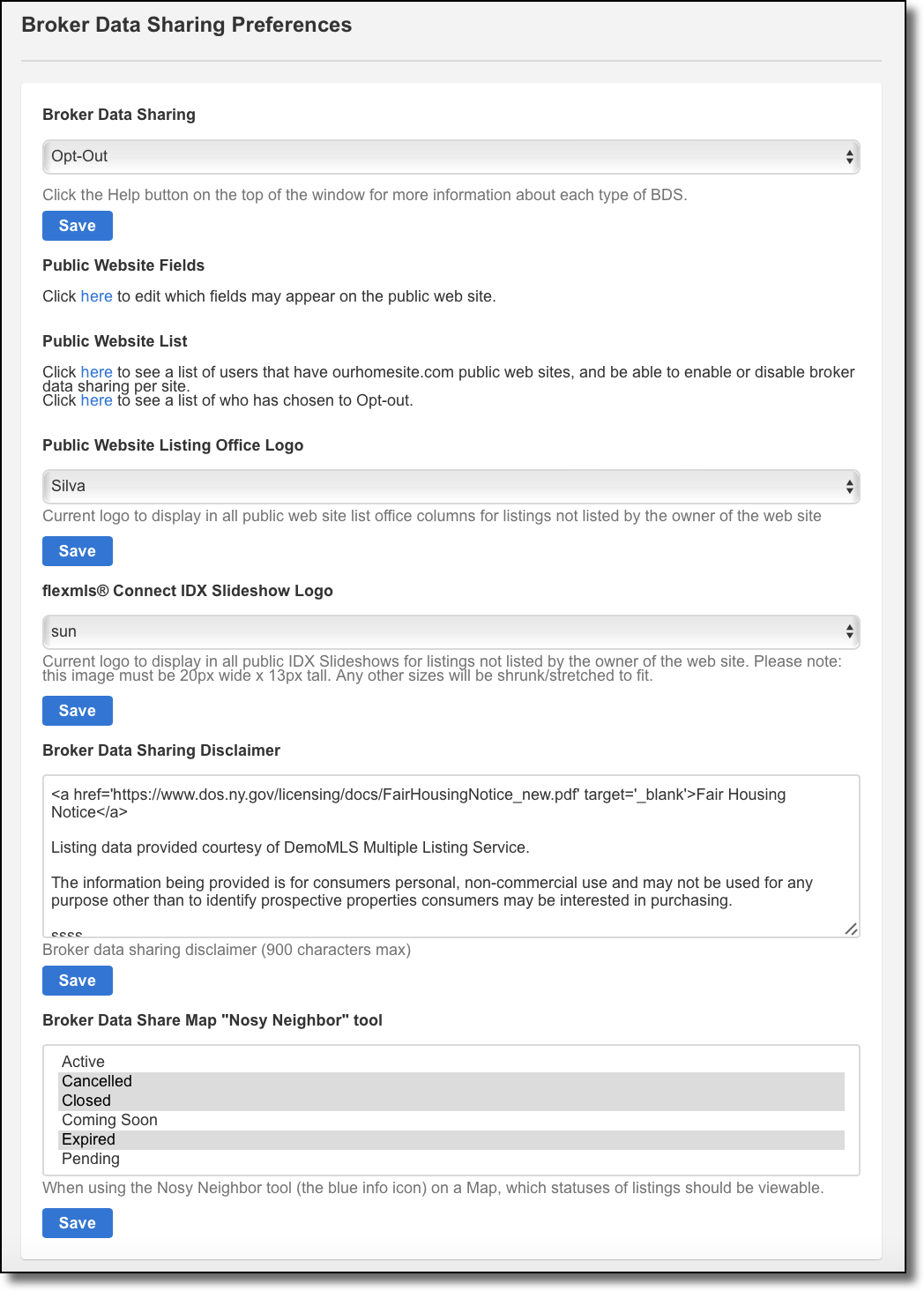
Begin by choosing an opt-out or opt-in policy. With an opt-out policy, all brokers are presumed to agree to share their data unless they expressly opt out of the agreement. Under an opt-in policy, each broker is presumed not to agree to share their data unless they expressly opt into the sharing agreement.
When you select a data-sharing policy, you will be prompted to send an email to all brokers to notify them of the new policy and to request that they opt in or opt out. The email provides a link to the Broker Data Sharing page (also under Preferences on the menu), where the broker can opt in or opt out. When a broker opts in or out, they will be able to view the data-sharing agreement. Their response will be forwarded to the MLS automatically by email.
The MLS can select which fields to make available through broker data-sharing. By default, all public fields are available. To change which fields are available, click the link in the Public Web Site Fields box. Choose a property type and add or remove fields from the list.
Under Public Website List, you can view the users that have ourhomesite.com public websites and enable or disable broker data-sharing per site. You can also see which members have opted in.
Under Public Website Listing Office Logo, choose a logo to display on public websites for listings not listed by the owner of the website. (The logos must be entered for the MLS profile. For more information, see Personal Photo and Logo Maintenance on help.flexmls.com.) Add a disclaimer at the bottom of the page.