MLS Data Sharing
If your MLS has a data-sharing agreement with another MLS, you can make that data available in Flexmls. To set up a new data share or to change your data sharing setup, contact the Flexmls Customer Success team (cpr@flexmls.com).
Note
The MLS data sharing feature does not control which listings from your MLS are shared with another MLS via a RETS feed or the Spark API. It controls only the data share listings that your members have access to.
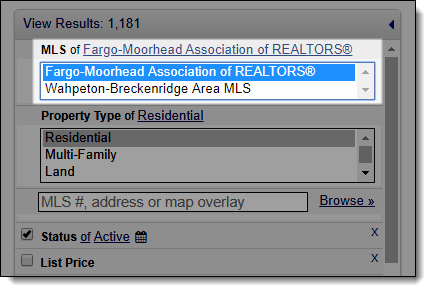
When an MLS data share is set up, your members can include the data share MLS in listing searches.
Important
When you include multiple MLSs in a search, only fields in common can be used as search criteria. For example, if your MLS uses a Waterfront field, but a data share MLS does not, you cannot search on the Waterfront field when both MLSs are selected.
Associations that belong to a single MLS may have different data-sharing agreements. If your MLS includes multiple associations, separate data shares can be set up for each association. For example, assume that Association A and Association B belong to ABMLS. If Association A has a data-sharing agreement with CDMLS, but Association B does not, data sharing can be set up so that members of Association A can see shared data from CDMLS, but members of Association B cannot.