Custom Fields
Click Custom Fields under Main Listings on the Admin menu to set up fields that appear on the Main Fields tab in listing maintenance.
Caution
Caution: Depending on your MLS Settings, certain field settings may be read-only to MLS administrators. Changes to those field settings can only be made by FBS Staff. If your MLS has access to make certain field changes such as changing or removing fields, be aware of the potential consequences of changing or removing fields. See Field Changes for more information.
To begin, select a property type and click Next.
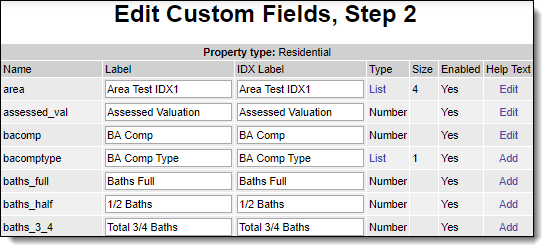
Make changes to field labels or click Add in the Help Text column to create MLS-specific help text for the field. An editor will open where you can type and format a help message.
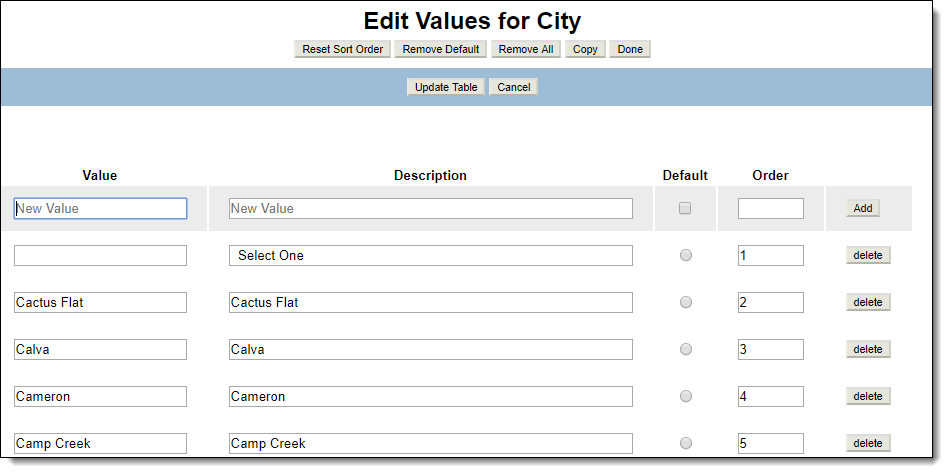
If the field is a list, you can click on the List link to edit the available selections. Type in a value and description and click Add to save changes to the list.