GrowthZone and Rappatoni Integrations
Launch can integrate with the GrowthZone and Rappatoni AMS to display MLS and Association dues balances directly on your agents’ dashboard.
With this integration, agents can view their balance due or available credits upon logging in, without needing to navigate away from the dashboard. They can also click on the Member Dues button, which takes them directly to their member portal for full billing details. Agents can also see their balance due or available credit on mobile in the menu; simply click the hamburger button at the top right corner to access the menu.
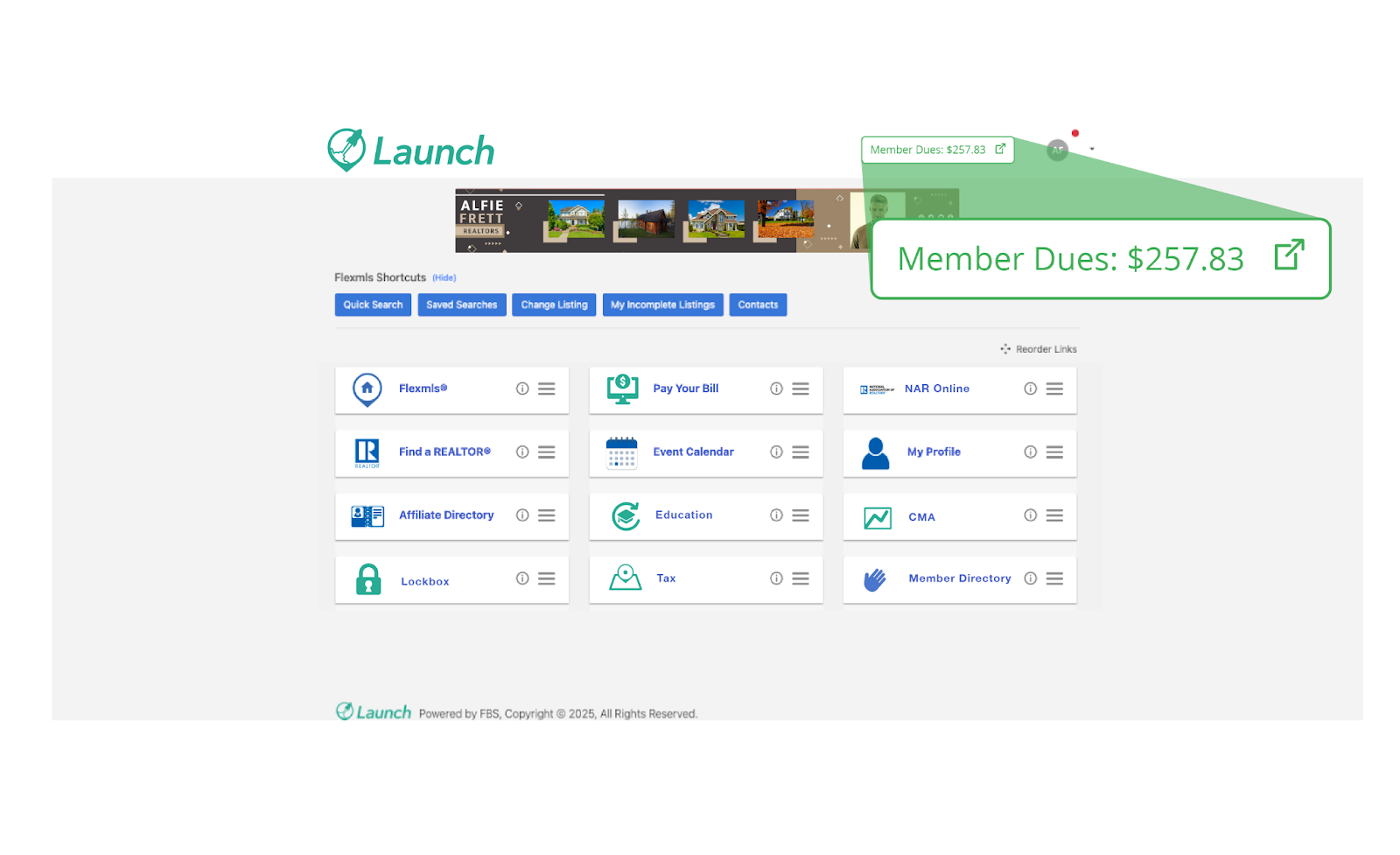
This integration must be turned on for your MLS. To learn how to get started setting this up for your MLS, refer to the steps below.
Step 1: Request API Credentials.
Contact GrowthZone Web Support to request an API Key and Endpoint for the billing balance display on Launch. You can submit a ticket via the GrowthZone Help Portal or email websupport@growthzone.com.
Step 2: Coordinate Single Sign On (optional).
If SSO is desired, submit the following formal request to GrowthZone and CC Chris (cevenson@fbsdata.com) and the FBS Integrations team (integrations@fbsdata.com):
“I would like to request that Single Sign-On (SSO) be set up between Flexmls and GrowthZone for our [MLS/Association Name].”
Step 3: Provide API Details.
Once you receive the API Key and Endpoint URL from Step 1, send that information, along with your GrowthZone member portal URL, to Chris (cevenson@fbsdata.com).
Step 4: Integration Setup.
FBS developers will configure the integration, and you will receive confirmation when it is complete.
Follow the instructions in the Rapattoni API Setup Guide and set up the following:
Step 1: Enter the following vendor details:
Company Name – FBS
Key Contact Name – FBS Support
Key Contact Email – api-support@fbsdata.com
Key Contact Phone – (888) 525-4747
Step 2: Create an entity set and include the following:
Members
MemberDuesDetails
ViewMemberDues
Step 3: When filling out the Client Details section, please follow this guide for the fields below:
Client Name - Launch Dashboard
Client_Id: accountprefix.launch (e.g., abc.launch or xyz.launch)
Step 4: Collect the API credentials and send the following to Chris (cevenson@fbsdata.com):
Authentication URL
Grant_Type
Scope
Client_Id
Client_Secret
API URL
Step 4: Coordinate Single Sign On (optional).
If SSO is desired, submit the following formal request to GrowthZone and CC Chris (cevenson@fbsdata.com) and the FBS Integrations team (integrations@fbsdata.com):
“I would like to request that Single Sign-On (SSO) be set up between Flexmls and Rapattoni for our [MLS/Association Name].”
If you have any questions or encounter issues during the setup process, please refer to the API Setup Guide or contact Rapattoni Support (support@rapattoni.com).