Headmaster Rules
Headmaster rules can be set up to run nightly compliance checks on listings that have been assigned an MLS number (not incomplete listings). Headmaster can then send notifications to members when their listings don't comply.
Note
The MLS can also receive notifications, but there is no function in Flexmls that tracks Headmaster violations. Notifications via email or My Messages are the only record for the MLS administrator.
Headmaster rules are defined by the MLS and then set up by FBS staff. Contact the Flexmls Customer Success team (cpr@flexmls.com) to request a Headmaster rule. Please provide the following information for each rule.
Which property types should the rule run against?
Specify which of your property types the rule will apply to.
Which listings should trigger a notification?
Specify the search criteria to find listings in violation, including status. Search criteria in sentence format is OK. If you currently use a saved search to find these listings, please provide the name of the search and the Flexmls user account it is saved under.
Should listings match once, or repeatedly?
If the same listing matches the criteria multiple days in a row, should multiple notifications be sent?
Who should receive a notification?
Specify message recipients. For example, notifications might be sent to listing participants (listing agent, co-listing agent, listing office, broker) or fixed email addresses (primary email of the MLS, a compliance alias).
Who should notifications be from?
By default, notifications come from the primary email address of the MLS, and any replies will be sent to that address. Any email address stored in My Email Addresses for the MLS can be used. The MLS name will appear in the From field on the message regardless of which address you choose.
What should the subject line be?
The subject line is dynamically generated, so it can contain the MLS number or other listing data.
What should the message body contain?
Like the subject, the message body is dynamic and can contain fields from the listing, like the MLS number and address. Headmaster sends HTML and text versions of the message. Colored text and other basic formatting is available as needed. MLS numbers can be made into links so recipients can easily view the listings on a search results page.
What type of notification should be sent?
We can send an email notification or a message via My Messages in Flexmls. Both types of notifications can contain the same information.
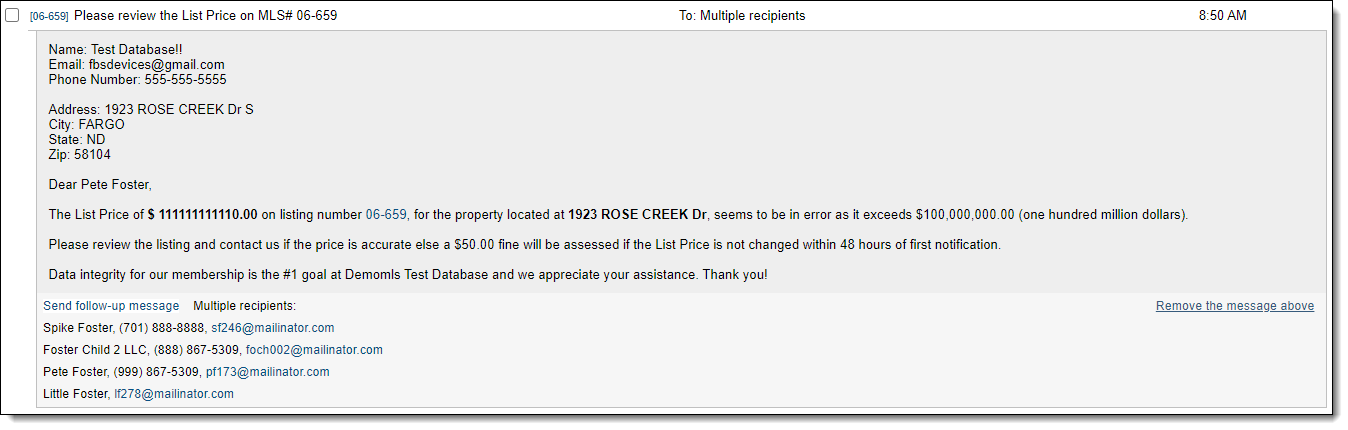
My Messages Example
The following image shows an example of a notification sent via My Messages in Flexmls.
Note
If you notify members via My Messages, we recommend advising them to right-click on listing links to open the search results page in a new tab. Otherwise, they can lose their place in My Messages.
Email Example
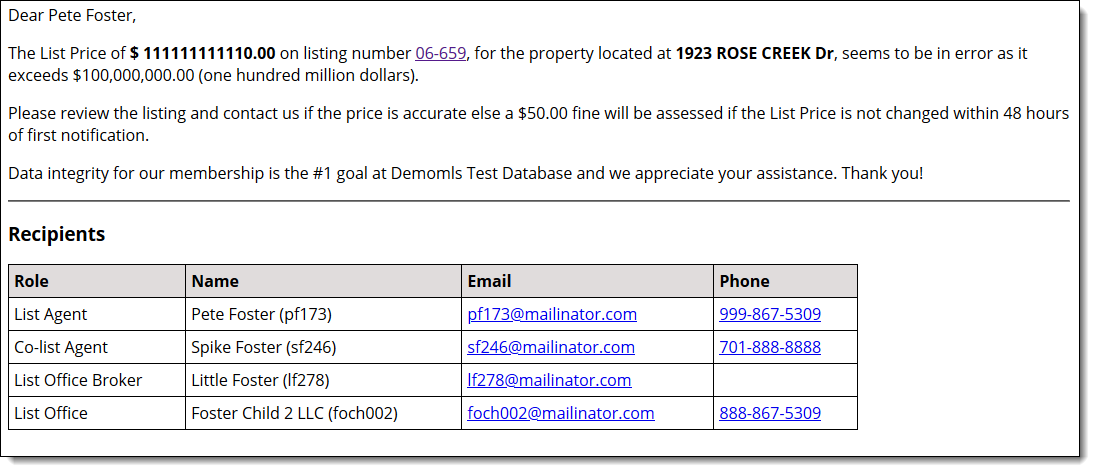
The following image shows an example of a notification sent via email.
Roughly how many listings do you expect to match the rule?
Specify the number of listings that will likely trigger the headmaster rule every day. This information helps us set a sanity threshold to prevent data updates, bad queries, or other anomalies from triggering an undesired avalanche of notifications. If the number of listings exceeds the sanity threshold on a given day, notifications will not be sent for that rule.