IDX Administration
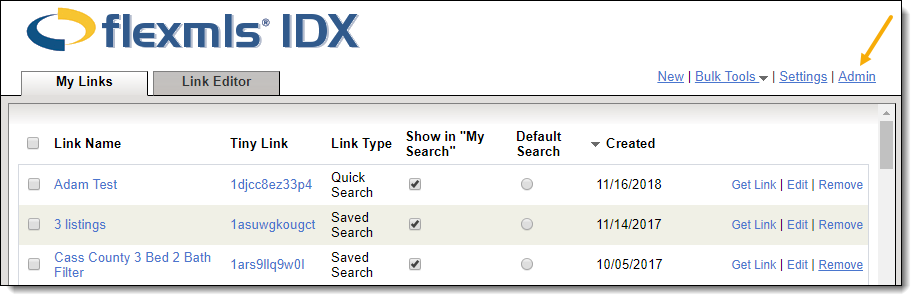
To access IDX Administration settings in Flexmls, click IDX Manager under Preferences on the menu, then click the Admin link in the upper right corner of the page. You must be logged in as an administrator-level account to access IDX Administration.
Note
For frequently asked questions about Flexmls IDX, see the MLS Administrator FAQ on the FBS Products website. FBS Products is a division of FBS that provides Flexmls-connected IDX services to your members.
Master IDX Switch
When this setting is On, users who have purchased the IDX service will be able to create and use IDX links. When this setting is Off, all IDX links will be disabled for users under your control.
Board Approval
When this setting is On, all requests to activate IDX must be approved by an MLS administrator. Use the following options to specify the person who will receive these requests.
For users with the primary association - If your MLS includes multiple associations, you can select a recipient for each association. Use this field to select an association, then select a recipient. Repeat for each association and save.
The recipient will be - Specify the recipient of IDX access requests. This list contains users in your MLS who have MLS-level brokerload.
If this setting is Off, MLS approval is not required for agents or offices to purchase Flexmls IDX.
IDX Report Restrictions
Restrict the reports that can be displayed on a Flexmls IDX site.
None - No restrictions. Any listing report can be used on an IDX site.
Only Allow Specified Reports - Select the reports that agents and offices can use on their IDX sites.
Note
Private data will not be shown on reports that are displayed on any Flexmls IDX site.
IDX Restrictions
Select this option to display the office phone number on IDX roster searches instead of the agent's phone number. If you do not select this option, an IDX roster search will display the agent's phone number.
IDX User Management
Use IDX User Management to specify which agents and offices in your MLS have access to the IDX Manager. This is also where you can approve or deny requests for IDX access.
First, select either Agent or Office to the right of the search box. Then type the name of the agent or office you want to modify.
Note
The lookup will find only first and last names. You cannot search by Flexmls username.
A list of users that match your entry will be displayed below the search box. Click On or Off to set a user or office's access to the IDX Manager. If a user's request has already been approved or denied, you can click the Request Approved or Request Denied link and change the selection on the following page. You can also type a note to provide more information about your response.