Listings with Inactive Members Report
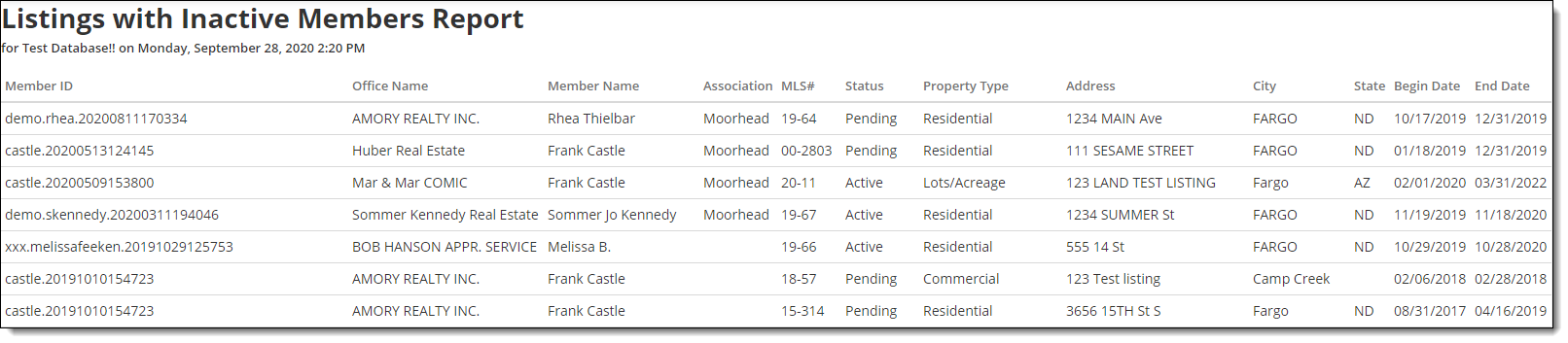
When members are transferred or offices are inactivated, open listings can become orphaned in the system. Use the Listings with Inactive Members Report to view on-market listings that are assigned to an inactive listing member.
Tip
The following Guided Help tour is available for this function in Flexmls. When you click on a link, an instance of Flexmls will open in a new browser tab and instruction bubbles will guide you through the process.
To run the report, click Reports – General under General on the Admin menu. Then click Listings with Inactive Members Report.
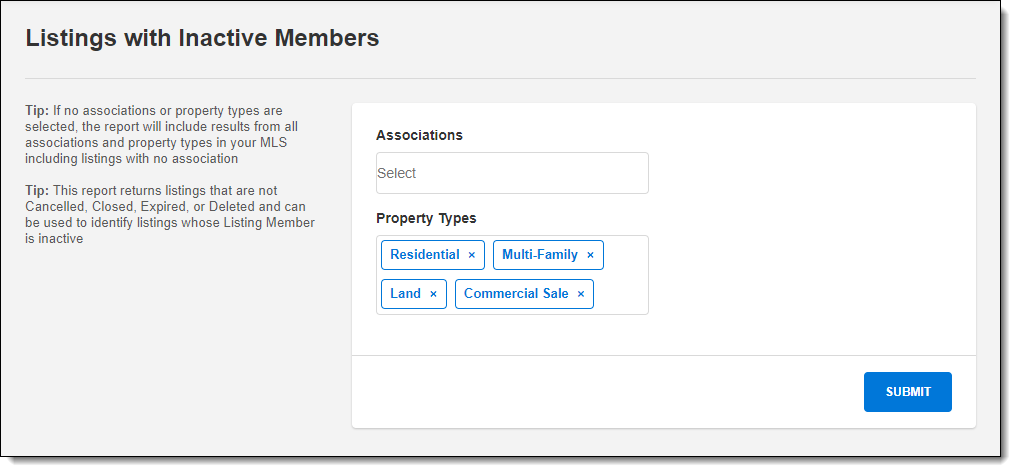
Select the associations and property types to run the report for. If no associations or property types are selected, the report will include data for all associations or property types. The report includes listings that have not been canceled, closed, expired, or deleted.
Click Submit to run the report. Use the information on the report to transfer or cancel listings, as needed.