AI Settings: Enable the MCP Server
If your MLS has enabled the Flexmls Model Context Protocol (MCP), you can use the AI assistant of your choice to ask questions about market statistics, listing searches, and your own listings. The MCP server securely connects to your Flexmls user data, so you can get answers in real time from AI clients like ChatGPT or Claude, with data straight from your MLS.
Once your MLS has enabled the MCP server for members, you can begin using the feature after completing the following short setup:
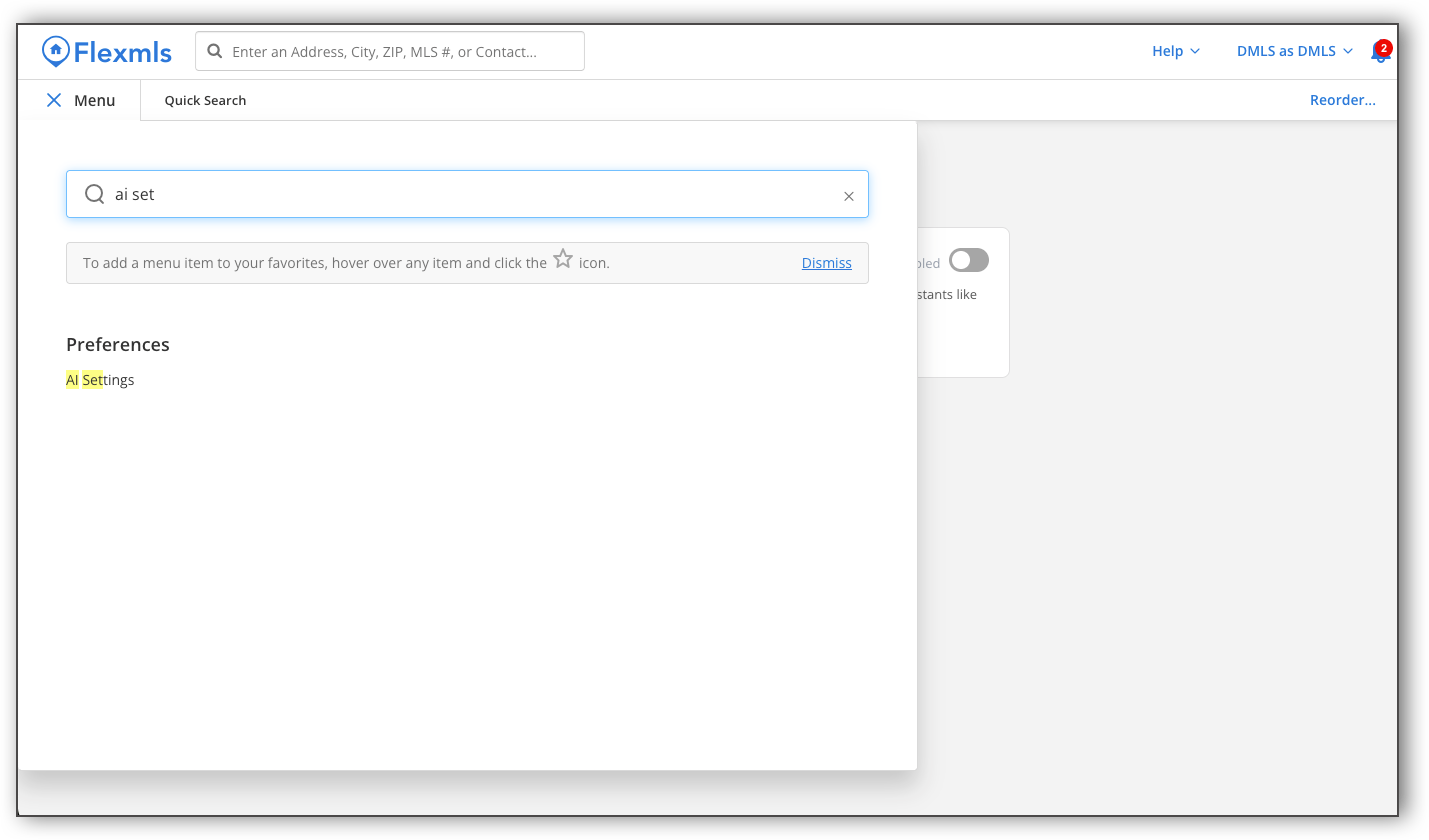
In the Flexmls menu, navigate to Preferences and click AI Settings.
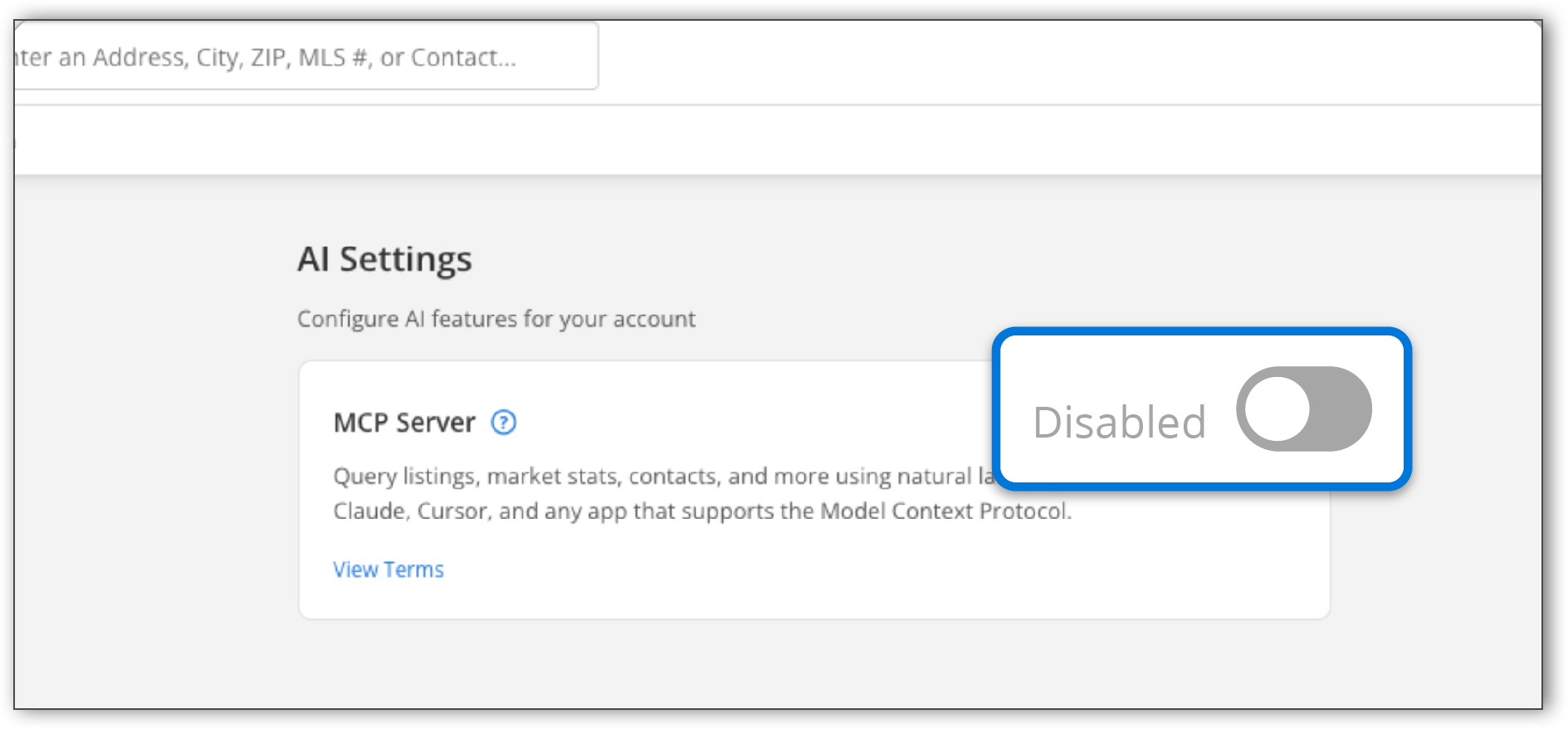
In the AI Settings page, use the toggle to enable the MCP server.
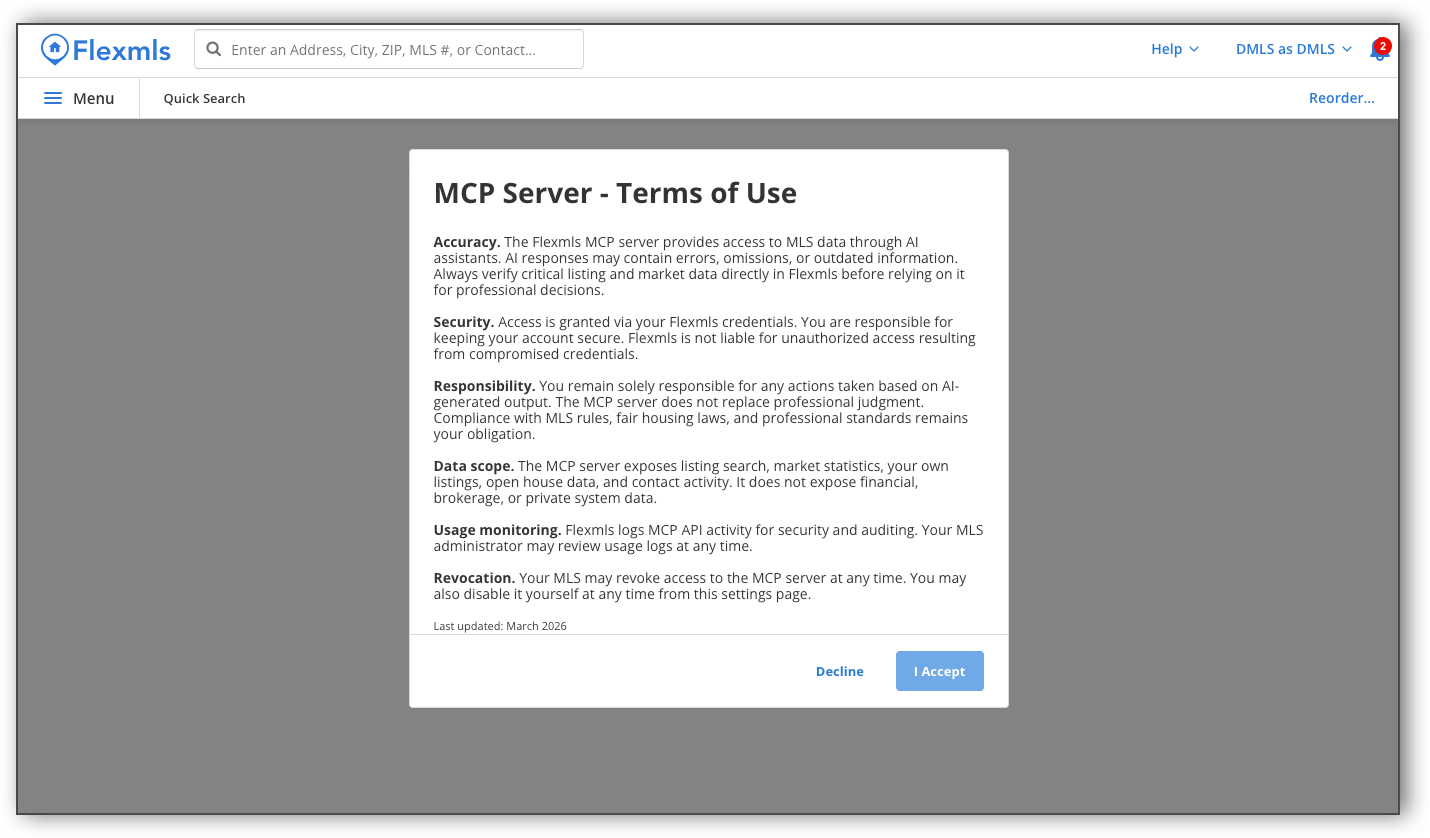
To enable the MCP server, members must accept a Terms of Use agreement. Click I Agree to accept the Terms of Use agreement and proceed with the setup.
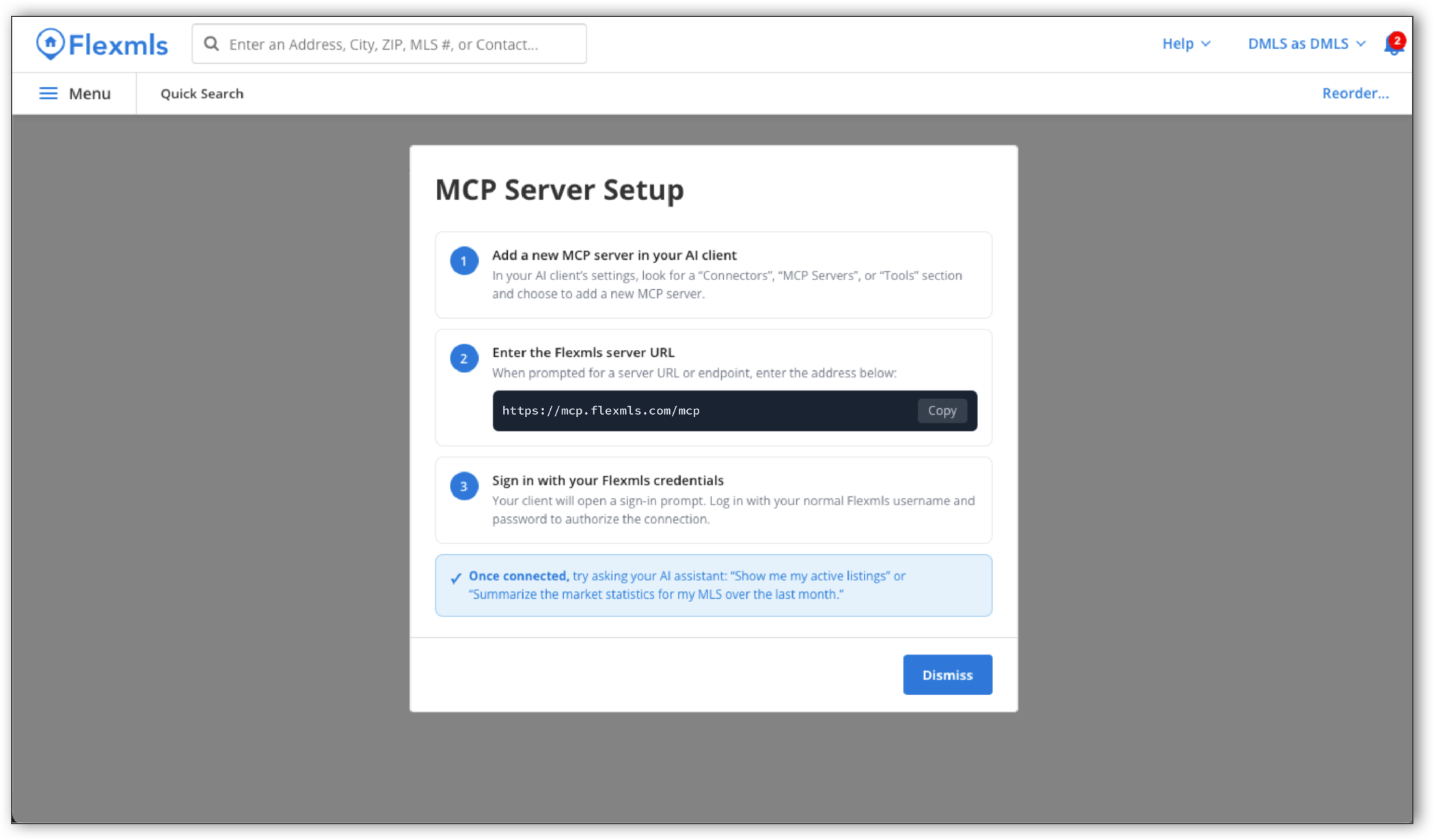
Once you accept the Terms of Use, you will see the following instructions to complete the MCP server setup:
Add a new MCP server in your AI client: In your AI client’s settings, look for a “Connectors”, “MCP Servers”, or “Tools” section and choose to add a new MCP server.
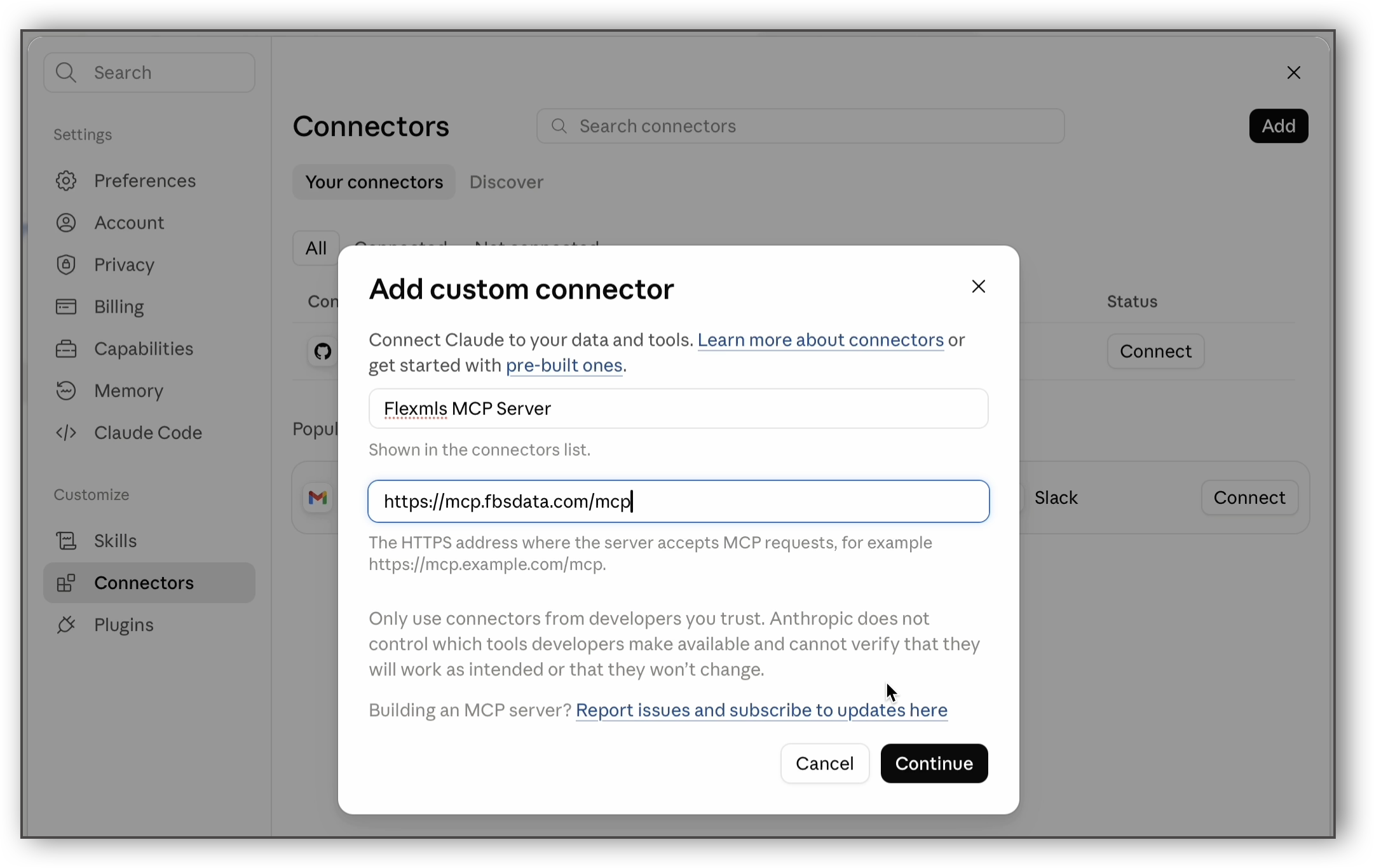
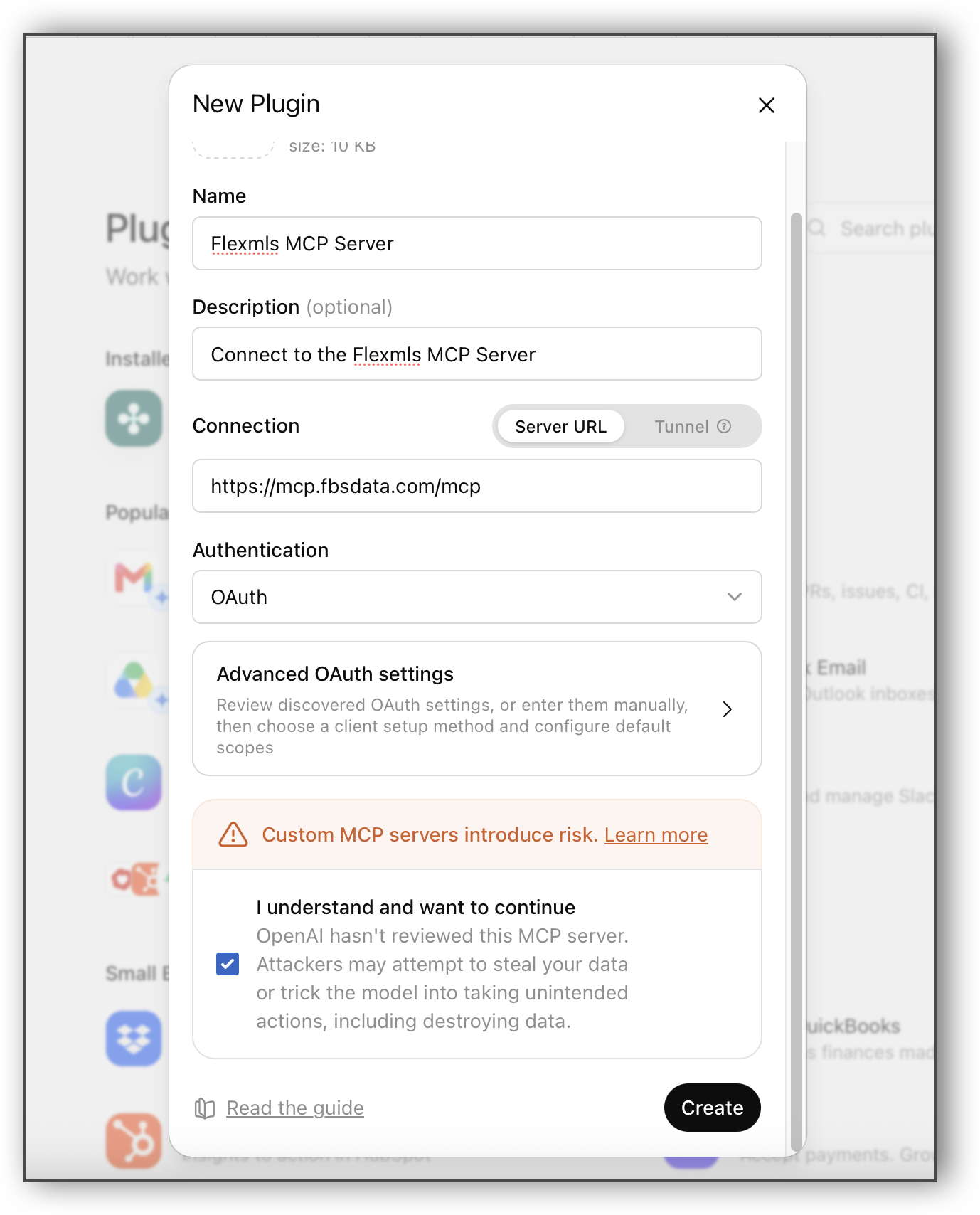
Enter the Flexmls server URL: When prompted for a server URL or endpoint, enter the address below: https://mcp.fbsdata.com/mcp
Sign in with your Flexmls credentials: Your client will open a sign-in prompt. Log in with your normal Flexmls username and password to authorize the connection.
Below is a preview of the setup page in Claude. Learn more about completing the MCP server setup process in Claude.
Below is a preview of the setup page in ChatGPT. Learn more about completing the MCP server setup process in ChatGPT.
Once you complete these steps, your AI client is connected and can query Flexmls data in real time. You can turn off the MCP Server from AI Settings at any time.
Important
The MCP server delivers live Flexmls data accurately, but the AI client's interpretation, synthesis, and presentation of that data may contain errors. Members should verify AI-generated outputs — particularly listing details, market statistics used in client-facing materials, or any data that informs a transaction — against Flexmls directly.