Auto Assistant+: AI-Generated Photo Titles and Captions
If your MLS participates in Auto Assistant+, you can use Artificial Intelligence (AI) to generate titles and captions for your listing photos.
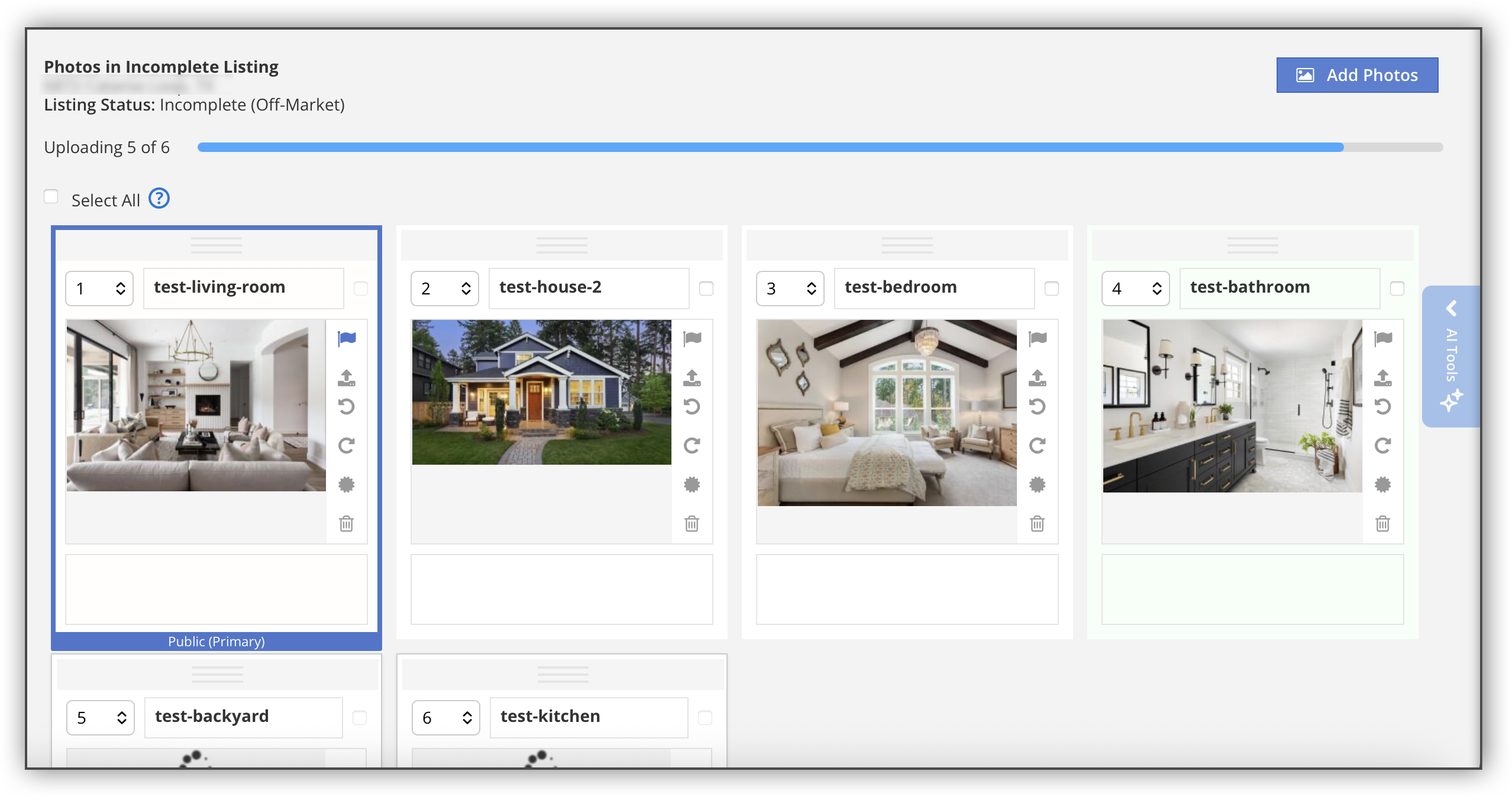
To use AI-generated photo titles and captions, navigate to the Media section of the listing input form. Click Photos in the left-side navigation menu, and then click Add Photos. Select the photos you want to upload to your listing. Once you have uploaded at least five photos, Auto Assistant+ begins to work automatically. A progress bar at the top of the page indicates that your photos are uploading and that AI detection has begun.
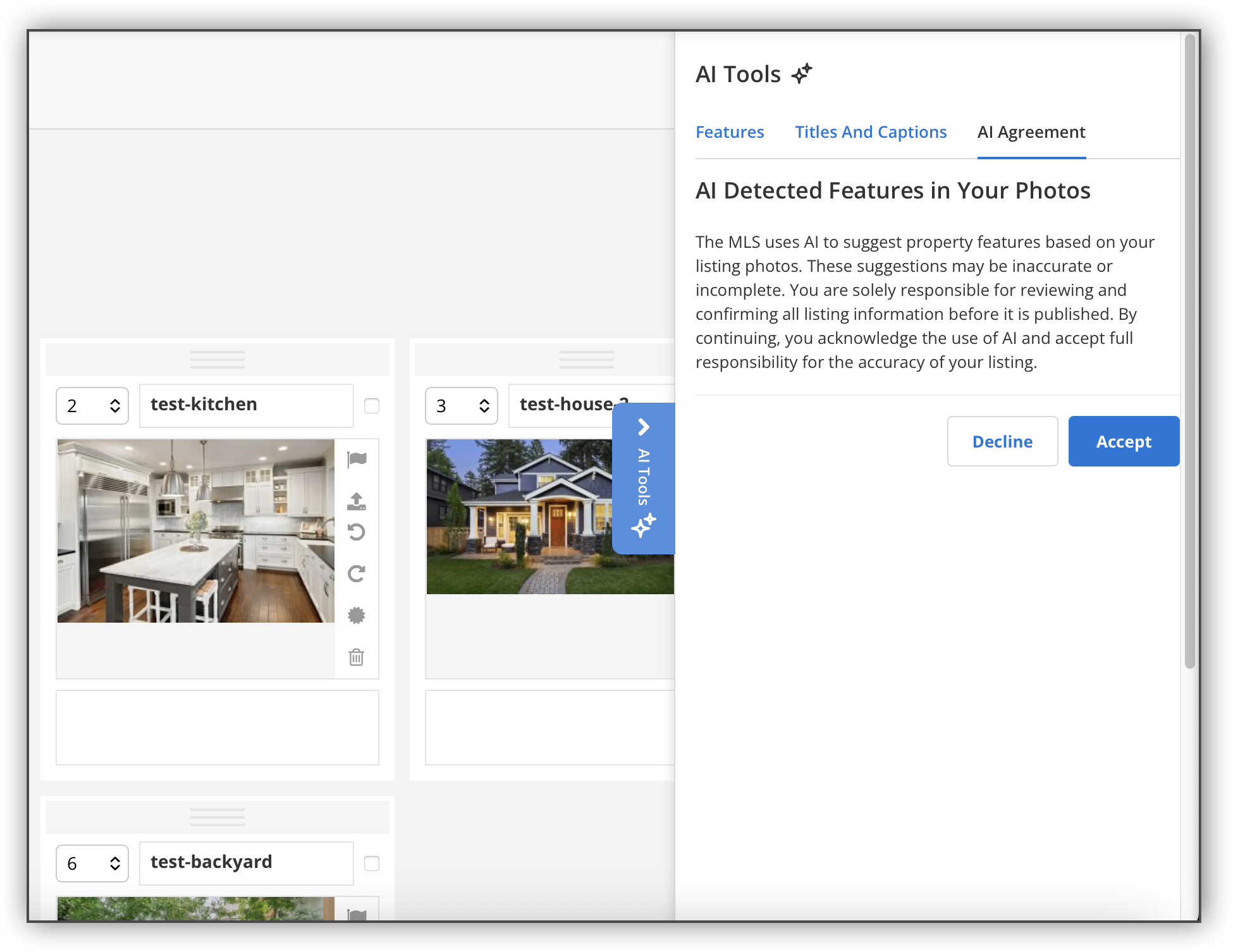
When the photo upload has completed, the AI Tools panel opens and displays the AI agreement. This agreement states that while AI has been used to generate photo feature data, you are still responsible for confirming that the data is correct. Click Accept to continue.
Note
You can preview the AI-generated photo titles and captions before clicking Accept in the AI agreement. You can also go back and review the AI agreement at any point by clicking the AI Agreement tab in the AI Tools panel. If you click Decline in the AI Agreement but change your mind later, you can go back to the AI Agreement tab and click Accept.
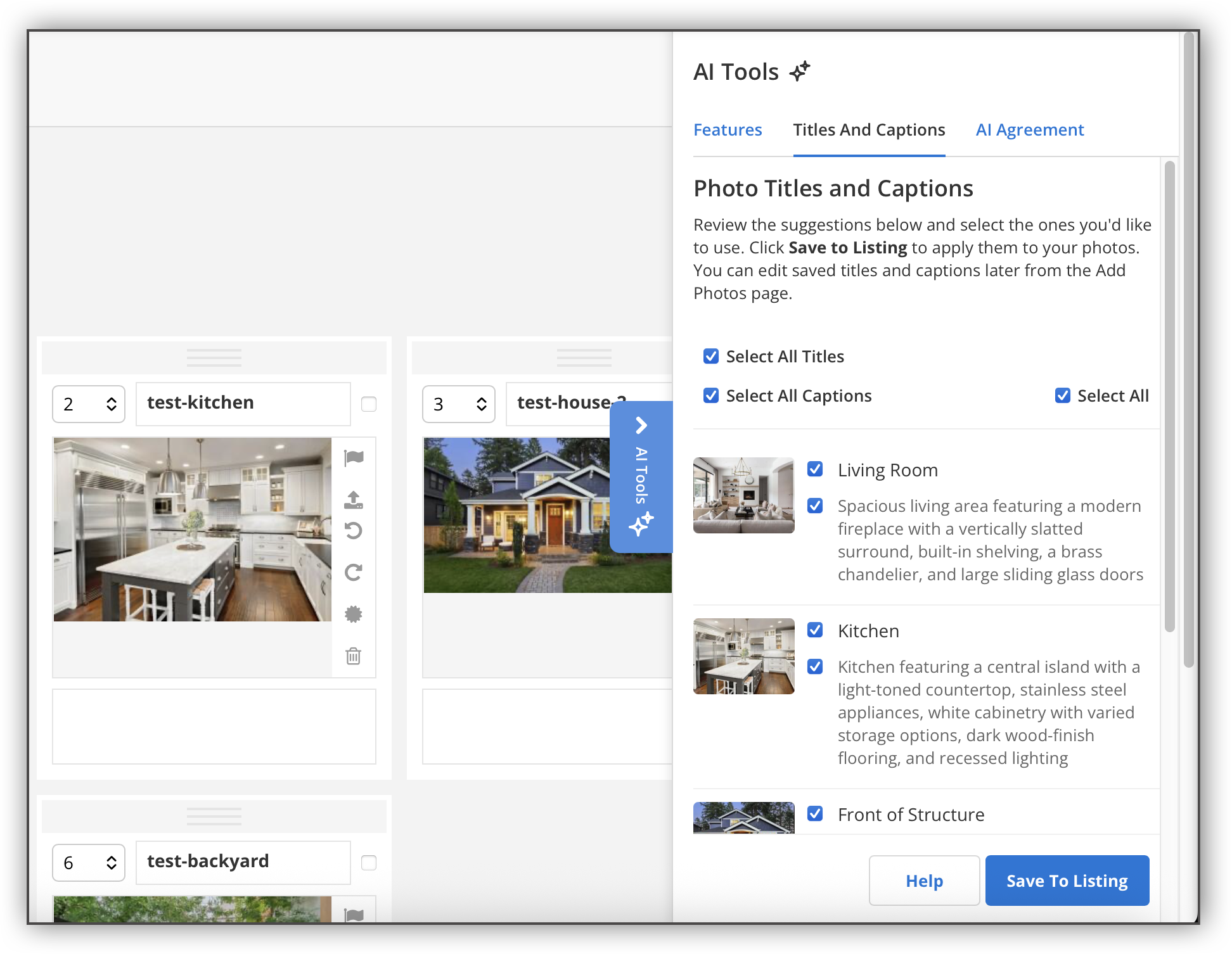
In the AI Tools panel, click the Photo Titles and Captions tab to view the suggested photo titles and captions. Use the checkboxes to select or deselect any of the suggestions.
Note
If you delete a listing photo, the corresponding title and caption will also be deleted from the AI Tools panel.
Once you have finished making your selections, click Save to Listing.
A prompt notifies you that the selections you have made will overwrite any existing photo titles and captions. Click OK to continue.
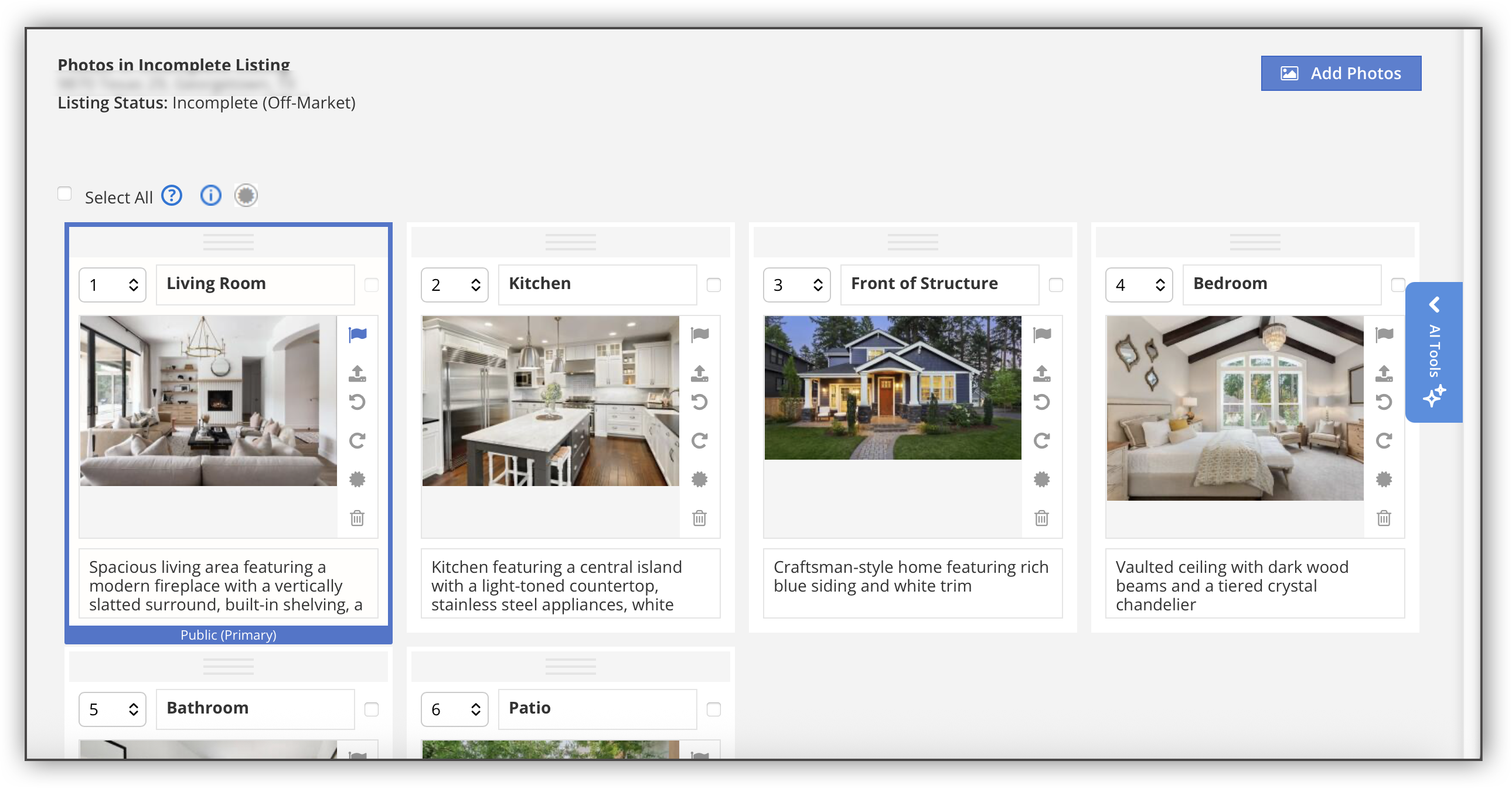
Once the photo titles and captions have been populated, a message at the top of the screen notifies you that your changes have been saved. The photo titles and captions you selected are autofilled in each photo. From here, you can still edit any of the photo titles and captions to your liking.
Note
You can only run the AI tool once for any given listing.
If you want to use the AI tool for multiple listings, you will need to accept the AI Agreement each time you add a listing.
When you click Accept, the listing history will show that the listing agent accepted the AI Agreement.
The AI Agreement language may vary depending on your MLS.
For more information about the other features available with Auto Assistant+, refer to the following help pages: