Auto Assistant+: AI-Generated Remarks
Important
This feature is currently only available for customers on New Listing Maintenance.
If your MLS participates in Auto Assistant+, you can enter AI-generated public remarks into your listing for residential property types.
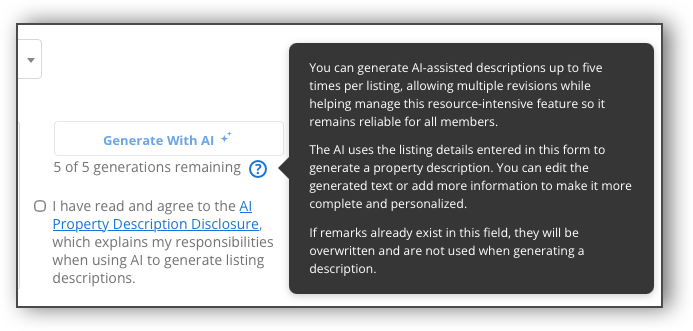
To use the AI-generated remarks feature in Auto Assistant+, first complete the majority of the required fields in the listing input form. Then, navigate to the Public Remarks section and review the AI Property Description disclosure. In order to use AI-generated remarks, you are required to check the acknowledgement box stating that you have read and agree to the terms in the AI Property Description Disclosure.
Note
You are required to check the acknowledgement box for the AI Property Description Disclosure for each listing that you want to use AI-generated remarks.
Once you have checked the acknowledgment box, click Generate with AI.
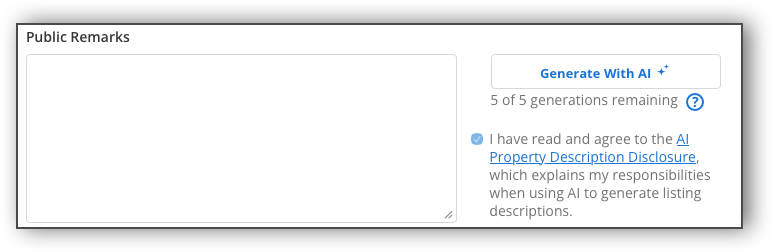
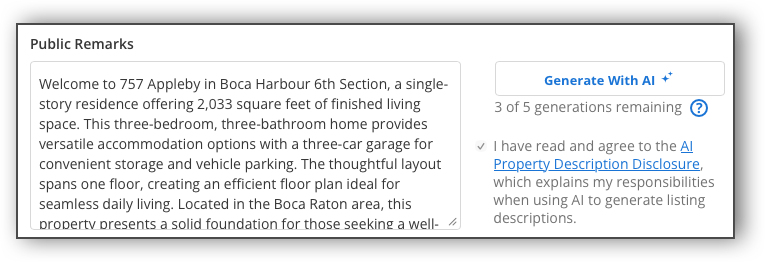
Flexmls will create a listing description using the data from relevant fields (beds, baths, features, etc.).
Note
If you have not completed the relevant fields in the listing input form, when you click Generate with AI, you will receive a recommendation for what fields should be completed first in order to generate an accurate listing description.
If you are not satisfied with the generated listing description, you can click Generate with AI again to generate a new version. Each listing includes up to 5 versions of AI-generated remarks. The text at the bottom of the Generate with AI button denotes how many versions you have remaining, and once you have generated 5 revisions of the remarks, the Generate with AI button is grayed out and cannot be clicked. If you generate a new version of remarks, the old version does not save. To keep a previous version of AI-generated remarks, copy and paste the text elsewhere before you generate a new version of the remarks. The Public Remarks field also remains editable, so you can continue to manually modify the text even after you have auto-generated a listing description.
Note
Any existing text you have entered into the remarks section will be overwritten when you generate remarks with AI—whether it’s your own text or AI-generated text.
For more information about the other features available with Auto Assistant+, refer to the following help pages: