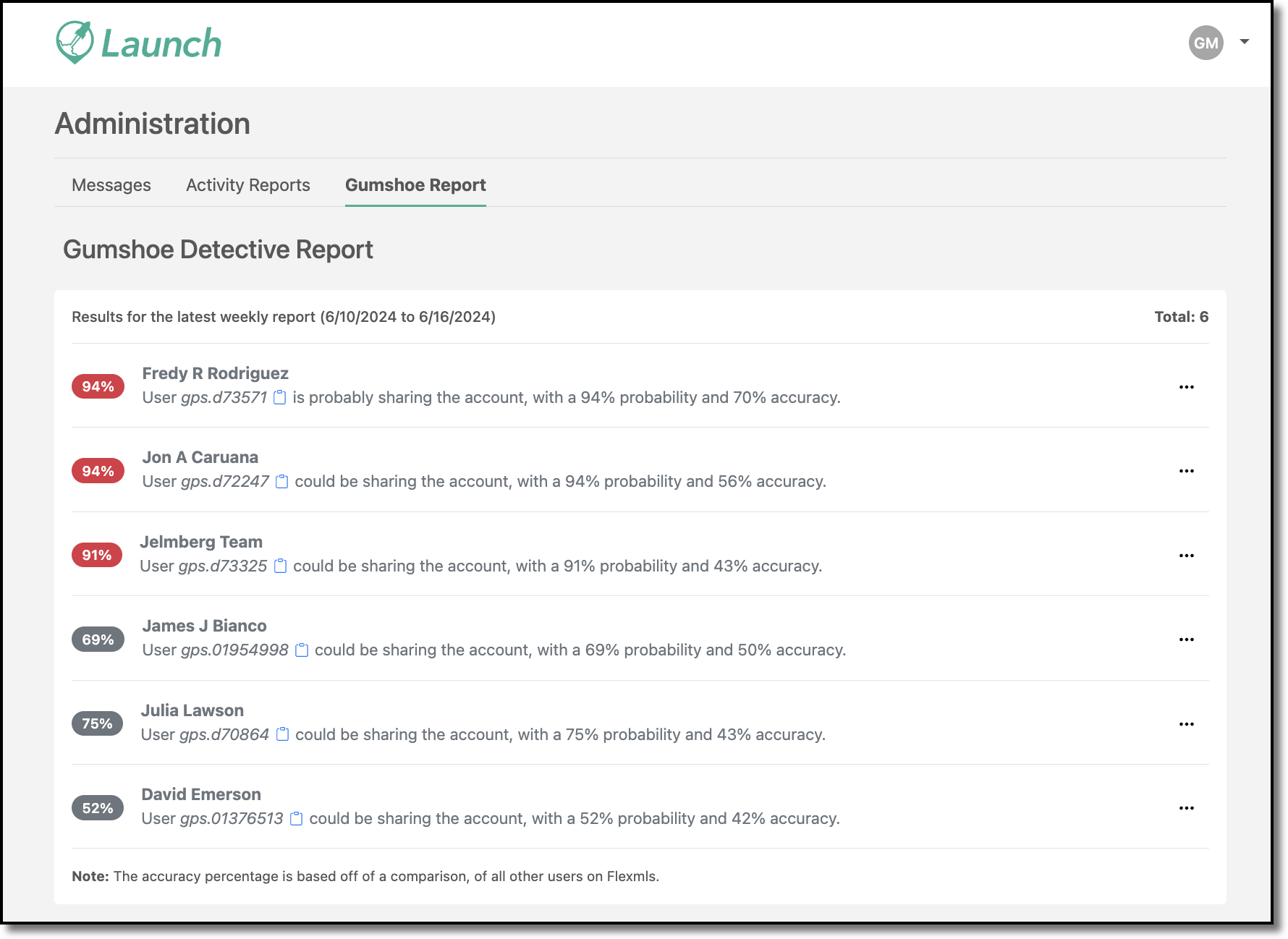
Launch Gumshoe Report Shortcut
Admins can access Flexmls Gumshoe Detective Report in the Launch dashboard. This allows you to monitor password and account sharing, as well as improve system security.
Under the Admin section, there is a summarized version of the Gumshoe Detective Report with data displayed from the latest weekly report available in Flexmls. From the report, you can take action to message likely offenders. Click the notepad next to a username to copy that username and paste it into a single member Launch message. Or, click the ellipsis to access contact details such as Agent and Office email and phone number. Clicking the email in the contact details will automatically open your default email client and create a new email to that address.