Listings in Moderation
When you set up reasonableness constraints, you can specify how listings that violate those constraints are handled in Flexmls.
If the moderated listings module is enabled for your MLS, one option is to Warn & moderate listing. If you select this option, the incomplete listing cannot be saved until it has been reviewed and approved by a moderator. Contact the Flexmls Customer Success team (cpr@flexmls.com) if you are interested in turning on the moderated listings module.
For more information about reasonableness constraints, see Add a Constraint to a Field.
Notifications for Moderated Listings
When a listing is placed into moderation, notifications can be sent to users that you specify. If the user setting Receives Reasonableness Constraint notification messages is set to Yes, the user will receive an email notification when a listing has been placed in moderation. This setting should be used only for MLS administrative accounts and other personnel who are authorized to verify moderated listings.

Moderate Listings
Click Listings in Moderation under Add/Change on the menu to view listings awaiting moderation.
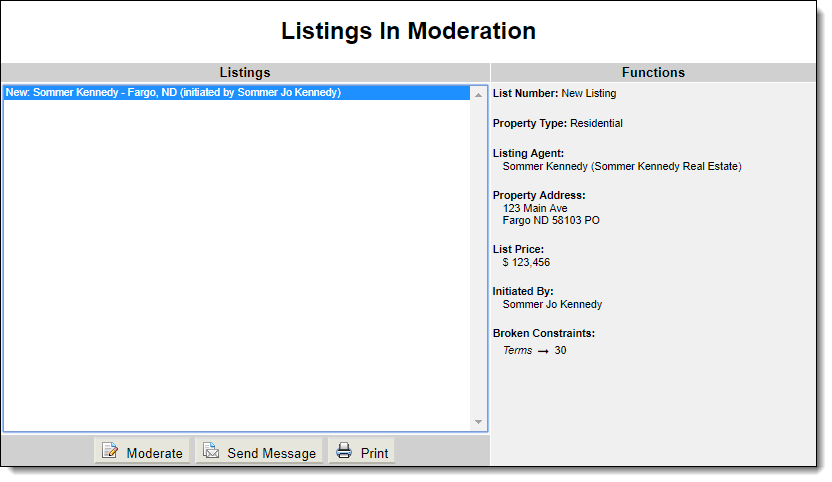
On the Listings in Moderation page, click on a listing to view a summary of the broken constraints in the right panel. Click Moderate to review the listing and accept or reject the changes. You can also send a message to the listing member or print the listing. Sending a message does not take any action on the listing. Use this feature if you need to request more information before approving or denying the change that violates a constraint.
If you click Moderate, the Moderate Changes page will be displayed. Review the listing to determine whether the constraint violation is acceptable.
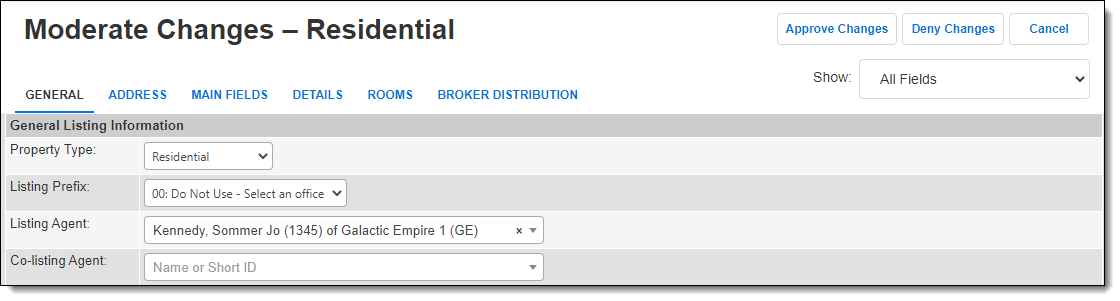
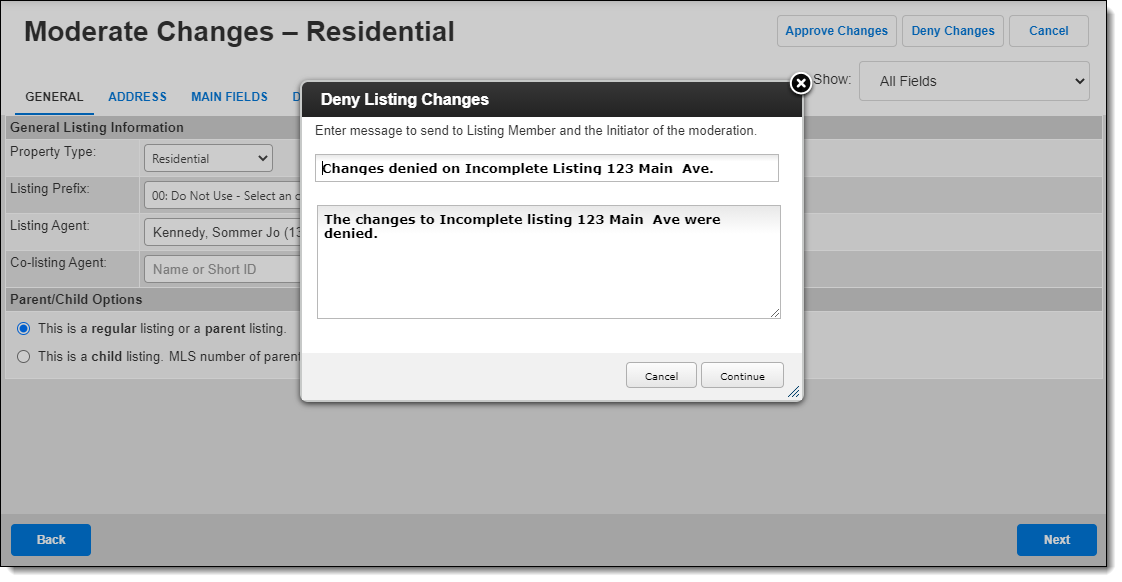
Click one of the buttons at the top of the page to approve or deny changes. In either case, a default message to the listing member will be displayed. You can change the message if necessary. Click Continue to send the message to the listing member and initiator of the moderated listing.
Changing a Moderated Listing
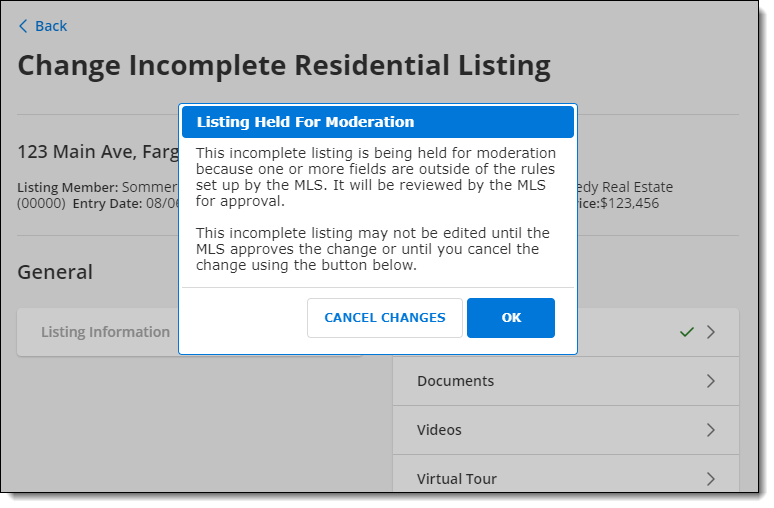
If a user attempts to modify a listing that is awaiting moderation by the MLS, a warning message will appear. The user can click OK to acknowledge the warning and wait for the listing to be approved or denied. Alternatively, the user can click Cancel Changes to cancel the changes that violated the constraint and proceed with editing the listing.
Note
The moderation alert will be displayed after other necessary changes have been made to the listing. For example, if the listing is missing required fields, those alerts will be displayed to the user first.